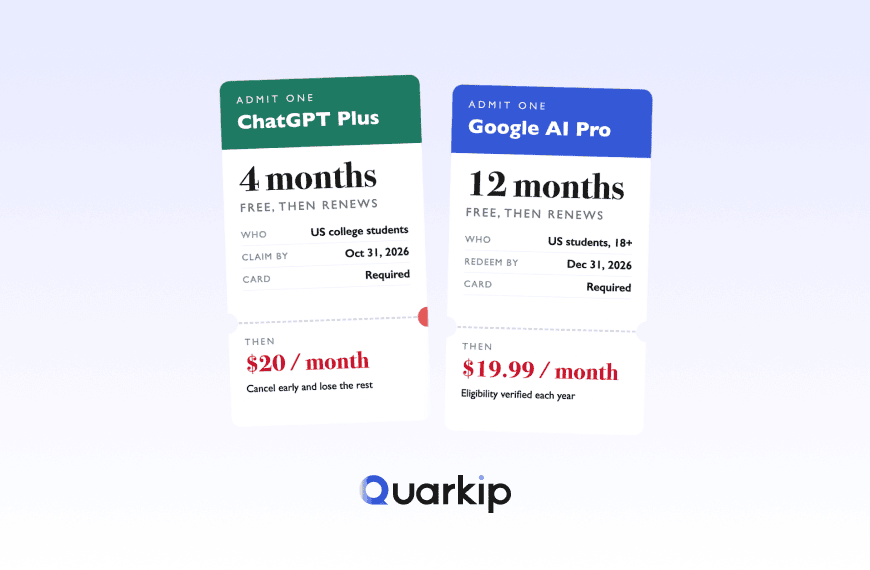
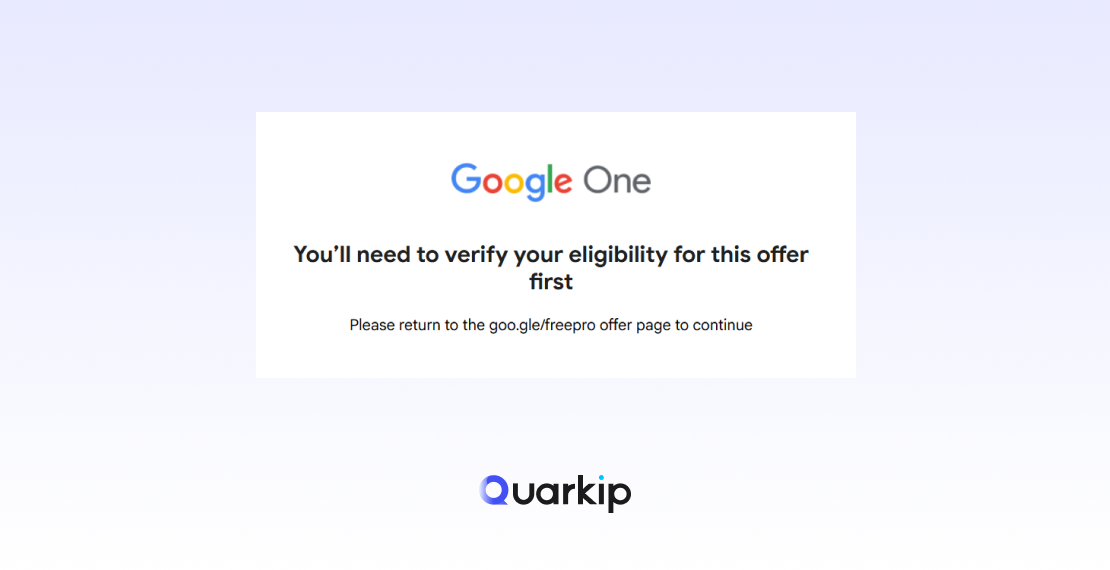
You open Google’s student offer page expecting to see a free Gemini plan.
Instead, you get one of these situations:
- the student offer does not appear at all;
- Google says the offer is unavailable;
- SheerID verifies you, but Google still says you are not eligible;
- the student plan disappears after verification;
- you only see regular Google AI pricing;
- you expected Google AI Pro but only see Google AI Plus;
- the page keeps sending you back to verification.
If the Gemini student offer is not showing, the problem is not always SheerID.
Google’s current 2026 student promotion has several separate eligibility layers.
To qualify, you generally need to meet all of the following:
- be at least 18;
- attend an eligible higher-education institution;
- study in a supported country or region;
- successfully verify through SheerID;
- use a personal Google Account;
- have a Google Payments account;
- add a qualifying payment method;
- avoid certain conflicting Google One or account states.
Google also excludes some users based on account structure, including members of family groups, supervised accounts, enterprise purchasers, and certain third-party Google One subscribers.
That means:
Passing student verification does not automatically guarantee that Google will activate the offer.
This guide explains the most common reasons the Gemini student offer does not appear and how to troubleshoot each one.
Quick Answer: Why Is the Gemini Student Offer Not Showing?
The most common reasons are:
- Your school or country is not eligible.
- You are signed into the wrong Google Account.
- You are using a school-managed Workspace account instead of a personal account.
- You are part of a Google family group.
- Your current Google One subscription conflicts with the promotion.
- You completed SheerID verification but failed another Google eligibility check.
- Your Google Payments profile or payment method is not accepted.
- You tried verification too many times.
- The student offer disappeared after a failed or incomplete verification attempt.
- You are expecting Google AI Pro when your region offers Google AI Plus instead.
The fastest way to solve the problem is to identify which stage is failing.
First: Understand the Gemini Student Offer Flow
The 2026 offer has multiple checkpoints.
A simplified version looks like this:
Open Google AI student page
        ↓
Google checks account and region
        ↓
Start SheerID verification
        ↓
SheerID verifies student status
        ↓
Google checks account eligibility
        ↓
Google Payments / payment method
        ↓
Offer activation
The important point is that SheerID is only one part of the process.
SheerID verifies whether you are a student.
Google still decides whether your Google Account qualifies for the promotion.
This explains why some users report being successfully verified by SheerID but still seeing “offer not available” or regular pricing afterward. Recent 2026 user reports describe exactly this situation, including cases where verification succeeded but the offer vanished or Google said the account was ineligible.
1. Your Country or Region Is Not Eligible
The Gemini student promotion is not available everywhere.
Google’s current 2026 terms say the offer is available to eligible students at higher-education institutions in supported countries or regions, but specifically excludes some markets such as:
- Albania;
- Bolivia;
- Canada;
- Hong Kong;
- Macau;
- Tunisia.
Availability can change over time, so always check Google’s current student storefront rather than relying on an old country list.
What to Do
Open the official student offer page while signed in to the Google Account you want to use.
Check whether your institution’s country, not just your current physical location, is supported.
Do not assume that traveling, using another IP address, or changing browser location changes your real promotion eligibility.
2. You Are Signed Into the Wrong Google Account
This is extremely common.
Many students have several Google identities:
- personal Gmail;
- school Google Workspace account;
- old Gmail;
- family account;
- work account.
The 2026 student offer requires a personal Google Account.
Your school email may be used to prove enrollment through SheerID, but that does not mean you should activate the subscription on the school-managed account.
What to Do
Before opening the student page:
- Sign out of unnecessary Google Accounts.
- Sign in with the personal Google Account you want to keep long term.
- Start the student offer from that account.
- Use your valid school details during SheerID verification when requested.
This reduces the chance of accidentally attaching verification to the wrong account.
3. You Are Using a School-Managed Google Workspace Account
A school-issued Google Workspace account is not the same as a personal Google Account.
This distinction matters because universities can control:
- subscriptions;
- billing;
- Google One access;
- service availability.
Google’s current offer terms require a qualifying personal Google Account.
What to Do
Use:
Personal Google Account → claim subscription
and use your school information only for:
Student verification → SheerID
Do not assume your .edu or university email must be the account that receives the Google AI plan.
4. You Are Part of a Google Family Group
This is one of the easiest eligibility rules to miss.
Google’s 2026 offer terms say users in a family group do not qualify for this specific offer.
That can be confusing because Google One normally supports family sharing.
The student promotion follows different rules.
How to Check
Review whether your Google Account is:
- a family manager;
- a family member;
- sharing Google One storage through another account.
If your account is currently part of a family group, that may explain why the student offer is missing.
Important
Do not immediately leave a family group without checking the consequences.
Leaving can affect:
- shared storage;
- YouTube family plans;
- Play purchases;
- other Google services.
Confirm the eligibility rule and decide whether changing the family setup is worth it.
5. Your Existing Google One Plan Conflicts With the Offer
Existing subscriptions can create another layer of complexity.
Google says some existing Google One members can qualify, but certain subscription arrangements are excluded.
The 2026 offer terms specifically exclude some users with subscriptions obtained through third parties or affiliates, including examples such as Google Fi.
Potential conflicts include:
- third-party Google One billing;
- partner bundles;
- family-shared plans;
- existing promotional plans;
- certain Pixel bundles;
- other extended trials.
What to Do
Check:
Google One → Settings → Membership / Billing
Look for:
- who bills you;
- current plan;
- whether the plan comes from Google directly;
- whether a partner manages the subscription.
If the plan is billed through a third party, the student offer may not appear until that conflict is resolved.
6. You Passed SheerID but Google Still Says You’re Not Eligible
This is one of the most frustrating cases.
The user completes student verification successfully, but Google still shows:
Offer unavailable
or regular pricing.
The reason is that:
SheerID verifies your student status; Google controls promotion eligibility.
These are different systems.
Recent 2026 users have reported being verified by SheerID while Google still rejected the offer at the account level. Others reported that the 12-month offer disappeared after successful verification.
What to Check
After SheerID approval, verify:
- personal Google Account;
- family-group status;
- Google One subscription type;
- payment profile;
- payment method;
- supported school country;
- account age / supervision status.
If all of those are valid, the issue may be on Google’s account side rather than SheerID.
7. Your SheerID Verification Failed
If you cannot complete the student verification step itself, this is a different problem.
Common causes may include:
- school not found;
- details not matching enrollment records;
- invalid school email;
- unsupported institution;
- document upload failure;
- too many verification attempts.
Google’s 2026 student flow uses SheerID for student verification.
What to Do
Check that:
- your name matches enrollment records;
- you selected the correct school;
- your school email is valid;
- supporting documents are current;
- your document clearly shows active enrollment.
If automated verification fails, use SheerID’s official review process rather than repeatedly submitting random variations.
8. You Tried SheerID Too Many Times
Repeated failed verification attempts can create a second problem.
Recent users have reported reaching a “Verification Limit Exceeded” state after retrying several times. Some then found that the student offer itself stopped appearing.
This is a good example of why repeated retries can make troubleshooting harder.
What to Do
If SheerID starts showing a verification limit:
- stop submitting new attempts;
- gather correct enrollment documents;
- contact SheerID support;
- avoid creating multiple inconsistent verification attempts.
If the student offer also disappears, you may need Google support as well because SheerID cannot override Google’s account-level eligibility.
9. The Offer Disappeared After Verification
This is one of the more unusual 2026 issues.
Users have reported:
- opening the student offer;
- completing SheerID verification;
- returning to Google;
- finding that the free student plan is gone.
Some users then only see normal pricing.
There is no single confirmed explanation for every case.
Possible factors include:
- account eligibility re-check;
- failed activation state;
- verification-limit issue;
- subscription conflict;
- account mismatch.
Best Next Step
Do not restart the process repeatedly.
Instead:
- confirm the same Google Account is still signed in;
- check Google One membership status;
- confirm SheerID verification completed;
- check for confirmation emails;
- contact Google One support if the offer vanished after successful verification.
This is more likely an account-level activation problem than a student-status problem.
10. Your Google Payments Profile Is Missing or Invalid
The student offer is free during the promotional period, but Google still requires:
- a Google Payments account;
- a qualifying payment method at signup.
That is because the plan may renew as a paid subscription after the 12-month offer period.
Possible Problems
- no payment profile;
- unsupported payment method;
- expired card;
- billing-country mismatch;
- payment profile restrictions.
What to Do
Open Google Payments and check:
- payment profile country;
- billing address;
- card validity;
- whether the method is accepted for Google subscriptions.
Do not assume “free for 12 months” means no payment setup is required.
11. Your Google Account Is Supervised
Google explicitly says supervised Google Accounts do not qualify for this offer.
A supervised account may be controlled through Family Link or another age-management setup.
What to Do
Check your Google Account settings to determine whether the account is supervised.
If it is, the student promotion may not be available even if you meet the school requirements.
12. You Expected Google AI Pro but Only See Google AI Plus
This is not necessarily an error.
Google’s 2026 student campaign differs by market.
Google’s current announcement says:
- eligible U.S. students can receive Google AI Pro for 12 months;
- eligible students in 140+ other markets can generally receive Google AI Plus.
So if your friend receives AI Pro and you see AI Plus, compare the country of your eligible institution.
Do not assume both accounts should receive the same plan.
13. You Used the 2025 Offer Before
Using an earlier student promotion does not automatically disqualify you.
Google’s 2026 announcement says students who participated in the previous 2025 AI Pro trial may still be eligible for newer student offers where available.
However, your current account state, active plan, and current offer terms still matter.
What to Do
Check the student storefront while signed into the same account you previously used.
Do not assume past participation is the reason the new offer is missing.
14. You Are Looking at an Old Student Offer Page
Google’s student promotions have changed over time.
Older pages may refer to:
- 2025 Google AI Pro offers;
- previous expiration dates;
- different plan structures;
- different country availability.
The current 2026 offer must be redeemed by December 31, 2026.
Always use the current official student storefront.
Gemini Student Offer Troubleshooting Decision Tree
Use this sequence before contacting support.
Offer not showing
      ↓
Is your school country supported?
      ↓
Yes
      ↓
Using a personal Google Account?
      ↓
Yes
      ↓
In a family group?
      ↓
No
      ↓
Conflicting Google One subscription?
      ↓
No
      ↓
SheerID verified?
      ↓
Yes
      ↓
Valid Google Payments profile?
      ↓
Yes
      ↓
Offer still missing
      ↓
Contact Google One support
This approach is much faster than changing random account settings without understanding the actual eligibility layer.
What If SheerID Says You’re Verified but Google Says You’re Not Eligible?
This deserves a direct answer.
If SheerID has approved you, you have proven your student status.
You have not automatically proven:
- account eligibility;
- plan eligibility;
- payment eligibility;
- subscription compatibility;
- family-group eligibility.
Google makes those decisions separately.
That is why contacting SheerID may not solve a Google account-level rejection.
Use:
SheerID support for:
- student verification;
- school not found;
- document review;
- verification-limit issues.
Use:
Google One support for:
- offer disappeared;
- account ineligible after verification;
- regular pricing after approval;
- subscription conflict;
- payment activation problems.
This distinction can save a lot of time.
Do You Need a VPN or Proxy to Make the Gemini Student Offer Appear?
No.
Google does not list a VPN or proxy as an eligibility requirement.
The student offer depends on your:
- student status;
- eligible institution;
- supported region;
- account type;
- subscription state;
- payment profile.
Changing your IP address does not change those facts.
Using a VPN or proxy simply to make your account appear to belong to another region can also create inconsistent account information and does not guarantee eligibility.
For legitimate localization research, proxies can be useful for viewing region-specific public web content.
That is a different use case from claiming a student promotion.
Should You Create a New Google Account?
Usually not as your first fix.
Creating a new account can create additional problems:
- SheerID verification tied to another identity;
- duplicate verification attempts;
- payment-profile mismatch;
- lost subscription history.
If your existing account is clearly ineligible because of a specific structural issue, you may need to review your options.
But do not create multiple accounts merely to brute-force the offer.
First identify why the current account failed.
When to Contact SheerID vs Google Support
Use this table:
| Problem | Better Support Route |
|---|---|
| School not found | SheerID |
| Verification documents rejected | SheerID |
| Verification limit exceeded | SheerID |
| Offer disappeared after verification | Google One |
| SheerID approved but Google says ineligible | Google One |
| Regular pricing appears after verification | Google One |
| Google One plan conflict | Google One |
| Payment method rejected | Google / Google Payments |
| Family-group issue | Google Account / Google One |
The most common mistake is asking SheerID to fix a Google subscription problem.
SheerID cannot override Google’s offer rules.
Gemini Student Offer Not Showing: Quick Checklist
Before contacting support, confirm all of the following:
- You are 18 or older.
- You attend an eligible higher-education institution.
- Your institution is in a supported country or region.
- You are using a personal Google Account.
- Your Google Account is not supervised.
- You are not part of a Google family group.
- Your current Google One plan does not conflict.
- You successfully completed SheerID verification.
- Your Google Payments profile is active.
- You added a qualifying payment method.
- You are using the current 2026 offer page.
- You have not exceeded SheerID verification attempts.
If all of these are true and the offer still does not appear, the issue is more likely to require Google support.
FAQ
Why is my Gemini student offer not showing?
The most common causes are unsupported region, wrong Google Account, family-group membership, incompatible Google One subscription, failed SheerID verification, payment-profile issues, or another Google account-level eligibility restriction.
Why does Google say I’m not eligible after SheerID approved me?
SheerID only confirms student status.
Google separately checks promotion eligibility, including account type, region, family-group status, subscription history, and payment requirements.
Can I get the Gemini student offer if I’m in a Google family group?
Google’s current 2026 terms say family-group members do not qualify for this specific offer.
Can existing Google One members claim the student offer?
Some can, but certain subscription types are excluded.
Third-party billing, partner plans, family arrangements, and other promotions may affect eligibility.
Final Thoughts
If the Gemini student offer is not showing, do not assume the promotion is broken.
The 2026 offer has several separate eligibility layers.
The most important distinction is:
SheerID
→ Confirms student status

Google
→ Decides account and promotion eligibility
That means a successful SheerID verification is necessary, but it may not be sufficient.
Start by checking:
- school country;
- personal Google Account;
- family-group status;
- existing Google One plan;
- SheerID status;
- Google Payments profile;
- payment method.
If the offer disappears after successful verification or Google still says your account is ineligible, contact Google One support rather than repeatedly starting the process again.
The fastest way to fix the problem is not to retry everything.
It is to identify which eligibility layer is actually failing.
PARTNER WITH QUARKIP Publish your content on QuarkIP Sponsored articles, guest posts and contextual link placements for proxy, web scraping, AI and developer audiences. Packages from $80 Start an inquiry →