The digital age has brought about new opportunities for businesses and individuals to expand their reach, manage data, and access restricted content. One such tool gaining popularity is Nebula Proxy, a powerful proxy service designed to provide enhanced privacy, security, and access to restricted content. Whether you’re looking to mask your IP, bypass geo-restrictions, or optimize your online experience, Nebula Proxy offers a versatile solution.
In this guide, we’ll explore what Nebula Proxy is, how it works, its benefits, and why it might be the right choice for you. We’ll also compare it with QuarkIP, a rising player in the proxy market, to help you make an informed decision.
What Is Nebula Proxy?
Nebula Proxy is a next-generation proxy service that allows users to route their internet traffic through a secure and anonymous server. By masking the user’s real IP address and providing access to multiple IPs, Nebula Proxy ensures online privacy, security, and the ability to bypass geo-restrictions. Whether you’re managing multiple accounts, scraping data, or protecting your identity, Nebula Proxy provides a reliable and efficient solution.
The core features of Nebula Proxy include:
- IP masking to hide your real location
- Geo-unblocking to access region-restricted content
- Enhanced security through encryption and anonymous browsing
- Rotating IPs for improved anonymity and evasion of IP bans
How Does Nebula Proxy Work?
The process of using Nebula Proxy is simple and involves routing your internet traffic through one of their servers. When you access a website or platform, Nebula Proxy changes your IP address to make it appear as though the request is coming from a different location. This helps you avoid restrictions and maintain privacy.
1. Choose a Proxy Server Location
Nebula Proxy offers servers in multiple locations, allowing you to select a server from a specific country or region. This is ideal for bypassing geo-blocks, especially when trying to access content that is restricted to certain locations.
2. Mask Your IP Address
Once connected, your traffic is routed through the Nebula Proxy server, which masks your real IP address. This prevents websites and services from tracking your online activity, protecting your identity.
3. Data Encryption
For enhanced security, Nebula Proxy encrypts your internet traffic, ensuring that sensitive information is kept safe from hackers and unauthorized third parties.
Why Use Nebula Proxy?
There are several reasons why users turn to Nebula Proxy for their online privacy and security needs:
1. Enhanced Privacy and Anonymity
By masking your real IP and routing traffic through a secure server, Nebula Proxy ensures that your online activities remain private. This is particularly valuable for users who want to protect their identity or maintain anonymity while browsing the web.
2. Bypass Geo-restrictions
Many websites and streaming services impose geo-blocking, restricting access to content based on your location. With Nebula Proxy, users can easily bypass these blocks by choosing an IP from a region where the content is accessible. This is essential for accessing restricted platforms, such as streaming services, social media sites, and even online marketplaces.
3. IP Rotation and Load Balancing
Nebula Proxy provides the ability to rotate IPs automatically, which reduces the risk of detection and blocking by websites. This feature is particularly useful for web scraping, data mining, or managing multiple accounts on platforms that restrict access from a single IP address.
4. High-Speed Connections
Despite offering anonymity and privacy features, Nebula Proxy is designed to ensure high-speed connections for uninterrupted browsing or streaming. This makes it an excellent choice for users who need to access high-bandwidth sites or platforms.
5. Data Scraping and Automation
For businesses, Nebula Proxy can be used to automate data scraping processes. The rotating IP feature ensures that businesses can collect data from websites without getting banned for making too many requests from the same IP address.
Nebula Proxy vs QuarkIP: Which Is the Better Choice?
While Nebula Proxy offers a solid range of features, it’s important to consider alternatives like QuarkIP, especially for users seeking more control over their proxies and higher levels of reliability.
Comparison Between Nebula Proxy and QuarkIP
| Feature | Nebula Proxy | QuarkIP Proxies |
|---|---|---|
| IP Rotation | Available, but less customizable | Automatic, frequent, and customizable |
| Server Locations | Limited to specific regions | Worldwide coverage with 100+ countries |
| Privacy & Security | Strong encryption and IP masking | Top-tier security with residential IPs |
| Speed | High-speed connections | Ultra-fast, stable for streaming and automation |
| Target Users | General consumers and businesses | Advanced users, marketers, and web scrapers |
| Ease of Use | Simple, user-friendly interface | Flexible API and dashboard for customization |
Advantages of QuarkIP:
- Greater IP Diversity: QuarkIP offers a wider range of IP addresses, particularly in residential proxies, which are more difficult for websites to detect.
- Superior Performance: QuarkIP’s residential proxy service provides faster and more stable connections, making it a preferred choice for high-demand applications like e-commerce automation, social media management, and scraping.
- Worldwide Coverage: While Nebula Proxy offers a limited number of locations, QuarkIP provides access to IPs from over 220 countries, ensuring that you can target specific regions with greater precision.
For users who require flexibility, advanced features, and the ability to scale their operations, QuarkIP offers a superior alternative to Nebula Proxy.
How to Set Up Nebula Proxy
Setting up Nebula Proxy is a straightforward process:
Step 1: Sign Up
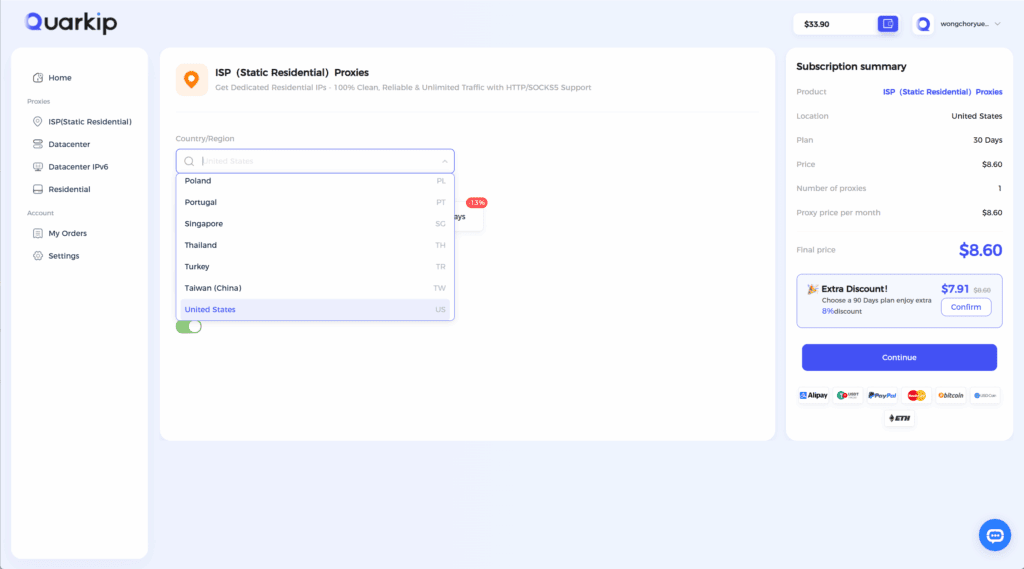
Create an account with Nebula Proxy and choose the proxy package that fits your needs.
Step 2: Select Server Location
Choose the proxy server location from which you wish to connect. You can select a location based on your desired content access.
Step 3: Configure Your Device
Follow the configuration guide to set up the proxy on your device. You can use it on browsers, apps, or even configure it in your network settings.
Step 4: Start Browsing
Once configured, start browsing the web, accessing restricted content, or performing tasks like data scraping and social media management.
Common Issues and Solutions with Nebula Proxy
1. Slow Connection Speeds
If your connection is slow, it might be due to server congestion or poor routing. Try switching to a different server location or contact Nebula Proxy’s support for assistance.
2. IP Bans
If websites are blocking your IP, consider using QuarkIP’s residential proxies, which are less likely to be detected and blocked.
Conclusion
Nebula Proxy provides a solid solution for users looking to bypass geo-restrictions, maintain privacy, and secure their online activities. However, for businesses or advanced users looking for more reliable performance, wider coverage, and a greater degree of control, QuarkIP’s residential proxies offer a better option.
By understanding the features, advantages, and applications of both services, users can make an informed decision based on their specific needs, ensuring that they enjoy a seamless and secure browsing experience in 2025.
PARTNER WITH QUARKIP Publish your content on QuarkIP Sponsored articles, guest posts and contextual link placements for proxy, web scraping, AI and developer audiences. Packages from $80 Start an inquiry →