In today’s digital age, buying concert tickets online can be an intense and competitive experience, especially when it comes to high-demand events like K-pop concerts. Melon, one of Korea’s leading music streaming platforms, is also a popular place for fans to buy concert tickets. However, securing tickets often becomes a race against time with limited availability and high demand.
To increase your chances of success and avoid facing common pitfalls like IP bans or geo-blocking, using a proxy server (such as QuarkIP) can help you stay ahead. A Melon Proxy allows you to:
- Bypass geo-restrictions, granting access to ticket sales from anywhere in the world.
- Avoid IP bans by rotating your IP addresses, ensuring you’re not blocked during the ticket purchase process.
- Increase speed by using proxies that provide low latency, which is crucial when competing for limited tickets.
In this guide, we’ll walk you through the steps of using a Melon Proxy to buy concert tickets and explain how QuarkIP’s proxy services can improve the process.
What is Melon Proxy and How Does It Work?
A Melon Proxy works by routing your internet traffic through different servers, which masks your real IP address and provides you with a new IP. This can help you bypass:
- Geo-blocks that restrict access based on your IP address.
- IP bans imposed by Melon if it detects multiple ticket-buying attempts from the same IP.
- Network congestion by selecting proxies located closer to Melon’s servers, reducing delays and improving your chances of success.
Key Features of Melon Proxy for Ticket Buying:
- Geo-unblocking: Access Melon from any location, even if the site is restricted in your region.
- IP Rotation: Use rotating proxies to avoid detection and continue making requests without the risk of being blocked.
- Fast Connection Speed: Ensure smooth, fast access to the ticket sales page.
- Privacy Protection: Safeguard your identity and location, securing your personal information during the purchase.
Why Melon Users Need Proxies for Ticket Buying
When it comes to buying concert tickets for popular events, the competition can be fierce. Without a Melon Proxy, you may encounter issues like:
1. Geo-restrictions
Melon may block access to certain concert tickets based on your IP address, limiting the regions where you can make purchases.
- Solution: By using a proxy server, you can access Melon as if you’re located in South Korea, bypassing these restrictions.
2. IP Blocking or Rate Limiting
If Melon detects too many requests coming from the same IP address, it may block or rate-limit your access, preventing you from completing the purchase.
- Solution: With QuarkIP’s rotating proxies, you can avoid detection and continue making requests from different IP addresses.
3. Network Congestion
During high-demand events, Melon’s servers can become overloaded, leading to slow loading times or errors. A slow connection can significantly impact your chances of securing tickets.
- Solution: By using proxies that are closer to Melon’s servers, you can optimize your connection speed, minimizing the risk of delays.
How to Set Up Melon Proxy for Ticket Buying
Step 1: Sign Up for a Proxy Service
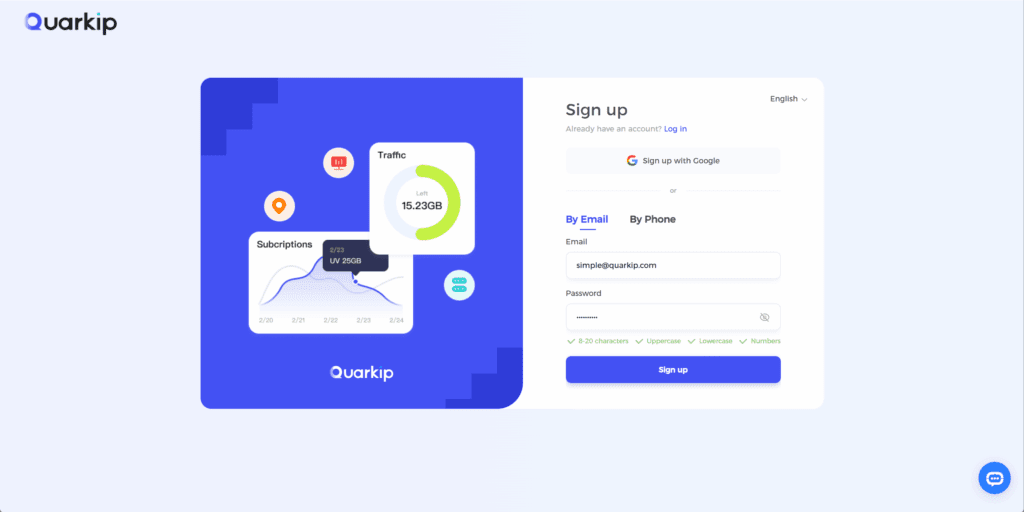
To get started, you need to sign up for a reliable proxy provider. QuarkIP offers residential proxies that rotate IPs and provide you with the best chance of avoiding geo-blocks and IP bans.
- QuarkIP Residential Proxies are sourced from real ISPs, making them harder to detect as proxies. This increases your chances of success when buying tickets.
Step 2: Get Your Proxy Details
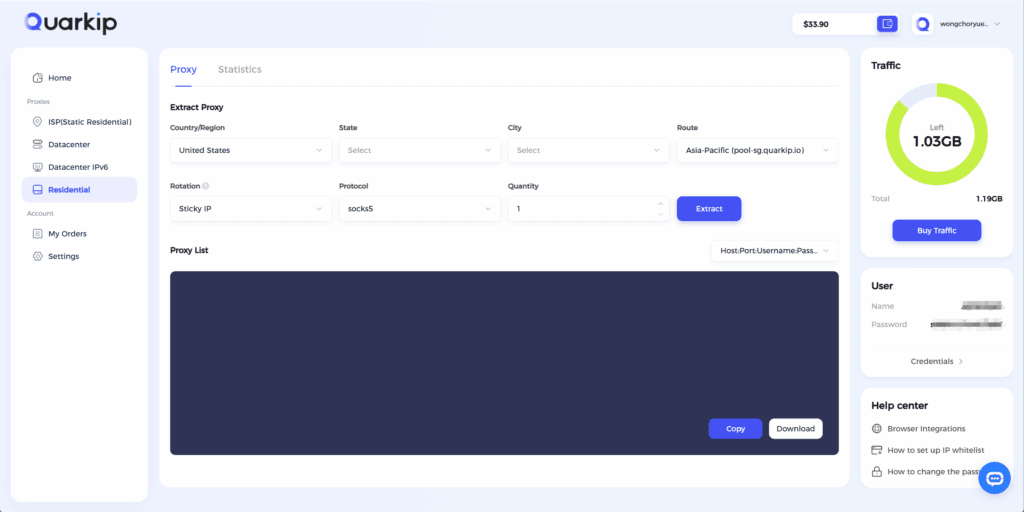
Once you’ve signed up with QuarkIP (or any other proxy provider), you’ll receive the following information:
- Proxy IP address and port number.
- Username and password (if authentication is required).
Keep these details ready for the next step.
Step 3: Configure the Proxy in Your Browser
To use your Melon Proxy, you need to configure your browser to route traffic through the proxy server. Here’s how:
For Google Chrome:
- Go to Settings > Advanced > System > Open your computer’s proxy settings.
- Enter the proxy IP and port number (usually 1080).
- Click OK to save the settings.
For Mozilla Firefox:
- Open Options > General > Network Settings.
- Choose Manual Proxy Configuration and enter the proxy IP and port.
- Click OK to apply the settings.
Step 4: Prepare for the Ticket Sale
Once your proxy is set up, you can now access Melon without restrictions. To maximize your chances of success:
- Log in early: Sign in to your Melon account before the ticket sale begins.
- Refresh the page frequently: Keep refreshing to be the first to grab tickets once they’re available.
Why QuarkIP is the Best Proxy for Melon Ticket Buying
QuarkIP offers several advantages that make it ideal for Melon ticket buying:
- Residential Proxies: These proxies come from real users and are nearly undetectable by Melon, giving you an edge over other buyers.
- Global Coverage: With proxies available in over 100 countries, you can access Melon from anywhere in the world.
- Fast Speeds: QuarkIP’s proxies are optimized for high-speed performance, reducing loading times and ensuring you can buy tickets without delays.
- IP Rotation: Automatically rotate your IP addresses, minimizing the risk of getting blocked during the ticket-buying process.
Conclusion: Use Melon Proxy for Faster, Secure Ticket Buying
In conclusion, using a Melon Proxy is a powerful way to increase your chances of securing tickets for popular events. By leveraging the power of proxy IPs, you can bypass geo-restrictions, avoid IP bans, and speed up the ticket purchase process.
For the best experience, QuarkIP’s residential proxies offer a fast, secure, and reliable way to access Melon, giving you an advantage during high-demand ticket sales.
PARTNER WITH QUARKIP Publish your content on QuarkIP Sponsored articles, guest posts and contextual link placements for proxy, web scraping, AI and developer audiences. Packages from $80 Start an inquiry →