If you’ve ever tried to use Claude and saw an “IP blocked,” “access restricted,” or “cannot connect” message, you are not alone. Millions of users face this issue every day, especially during peak AI usage hours. The good news is that most Claude IP blocks are temporary, and you can fix them quickly with the right method.
In this guide, we will explain exactly why Claude blocks your IP, how to check if your IP is banned, and the most effective ways to restore access immediately.
What Does “Claude IP Blocked” Mean?
When Claude shows an IP blocked error, Anthropic’s security system has identified your IP address as high-risk or suspicious. Instead of allowing normal access, the system restricts your connection to protect its servers and other users.
This does not always mean you did something wrong. Many legitimate users get blocked simply because they share an IP, use public Wi-Fi, or connect from a restricted region.
Top 5 Reasons Claude Blocks Your IP
Understanding the cause will help you avoid the same problem in the future.
1. Shared or Public IP Addresses
Public Wi-Fi, company networks, and school networks often use shared IPs. If one user on that IP misuses Claude, everyone using the same IP gets blocked.
2. Sudden Location Changes
If your IP switches between countries in a short time—for example, from the United States to Singapore in 10 minutes—Anthropic’s system flags this as abnormal behavior.
3. High-Frequency Requests & Automation
Sending too many prompts in a short time, running automated scripts without limits, or using third-party tools that spam requests can trigger an IP ban.
4. Low-Quality or Blacklisted Proxies
Many free or cheap proxies are already flagged by Claude. Using them will result in an instant block.
5. Geo-Restrictions & Regional Limits
Claude is not available in all countries. If you connect from an unsupported region, you will see an access restricted or IP blocked message.
4 Fast Ways to Fix Claude IP Blocked
You don’t have to wait hours or days for the block to lift. Use these proven methods.
1. Switch to a Clean, Private IP
The fastest way to fix a Claude IP block is to use a new, clean IP address. A reliable residential or ISP proxy will give you a fresh, trusted IP that Claude accepts.
2. Avoid Free or Public Proxies
Free proxies are overused, blacklisted, and unstable. They will only make your Claude access worse. Always use premium, dedicated proxies for AI tools.
3. Use a Static IP for Your Claude Account
Dynamic IP changes can trigger security systems. A static IP keeps your location consistent and reduces the risk of being blocked.
4. Use a Claude-Optimized Proxy Service
The best long-term solution is a proxy built specifically for Claude. These services test IPs in real time, avoid blacklisted addresses, and maintain stable connections.
How to Check If Your IP Is Banned by Claude
You can quickly verify your IP status with these simple steps:
- Open a browser without any extensions or proxies.
- Go to Claude.ai and try to log in.
- If you see “access denied,” “IP blocked,” or cannot load the page, your IP is likely restricted.
- Test with a mobile data network. If it works there, your main IP is definitely blocked.
How to Fix Claude IP Blocked with QuarkIP
QuarkIP provides clean, pre-tested IPs that work reliably with Claude. Here’s how to unblock your access in under 5 minutes:
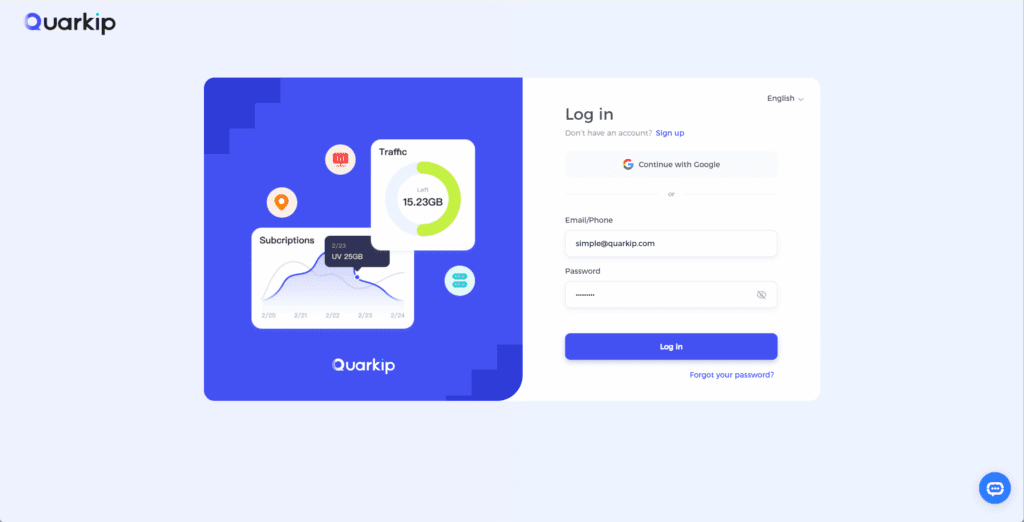
- Log into your QuarkIP dashboard.
- Select a residential or ISP proxy in a Claude-supported region.
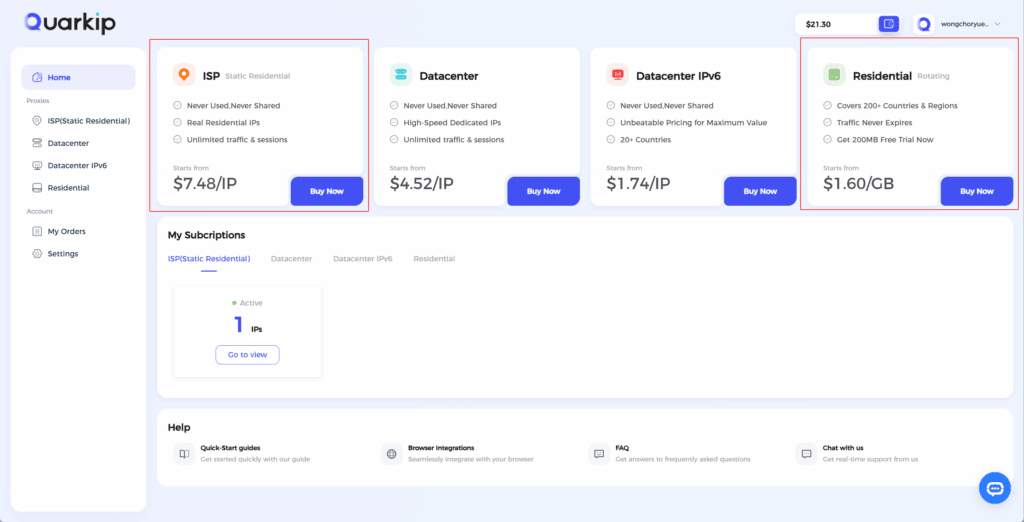
- Connect to the proxy and refresh your browser.
- Visit Claude.ai and use your account normally.
QuarkIP automatically avoids IPs that have been banned or flagged by Anthropic. This means you will not face repeated blocks.
How to Prevent Claude IP Ban in the Future
Follow these simple rules to keep your account safe:
- Use a dedicated, clean IP for Claude.
- Do not switch locations rapidly.
- Avoid sending too many requests at once.
- Do not use free proxies or public IPs.
- Use a proxy service optimized for AI platforms.
FAQ About Claude IP Blocked
Why is Claude blocking my IP for no reason?
Claude does not block IPs randomly. Most blocks happen because of shared IPs, suspicious activity patterns, or restricted regions.
How long does a Claude IP ban last?
Many blocks are temporary and last a few hours. However, repeated blocks can become permanent.
Can a VPN fix Claude IP blocked?
Some VPNs may work temporarily, but many VPN IPs are already blocked by Claude. A dedicated AI proxy is more reliable.
What is the best way to avoid Claude IP bans?
Using a clean, residential proxy from a trusted provider like QuarkIP is the most effective method.
Conclusion
A “Claude IP blocked” error is frustrating, but it is easy to fix. The root cause is almost always a risky or blacklisted IP. By switching to a clean, AI-optimized proxy, you can restore access immediately and avoid future bans.
If you want stable, uninterrupted access to Claude without IP restrictions, QuarkIP provides the reliable proxy solution you need.
PARTNER WITH QUARKIP Publish your content on QuarkIP Sponsored articles, guest posts and contextual link placements for proxy, web scraping, AI and developer audiences. Packages from $80 Start an inquiry →