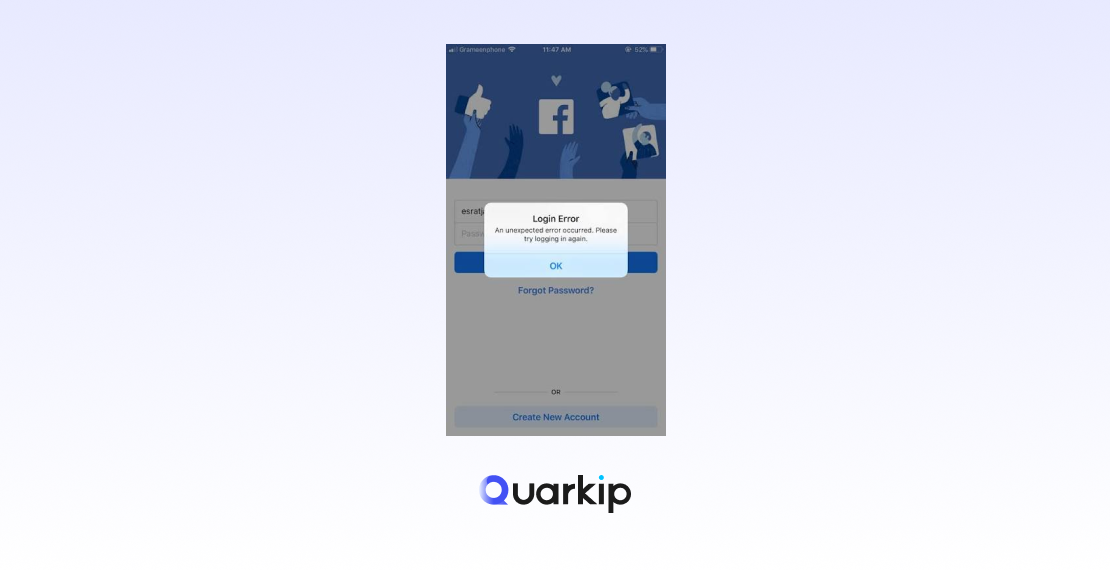
Trying to create a Facebook account only to see “An error occurred during your registration. Please try again” can be confusing, especially when the information you entered appears to be correct.
In many cases, a Facebook registration error does not point to one specific problem. It can be caused by an incorrect email address or phone number, a failed verification request, browser problems, an unstable internet connection, repeated signup attempts, or a network environment that Facebook considers unusual.
The good news is that randomly repeating the registration process usually isn’t necessary — and may actually make troubleshooting harder.
In this guide, we’ll explain the most common reasons you may be unable to create a Facebook account and walk through practical ways to fix Facebook signup errors step by step.
Quick Answer: How to Fix a Facebook Registration Error
If Facebook won’t let you create an account, try these steps first:
- Double-check your name, birthday, email address, and phone number.
- Make sure the email address or phone number is accessible to you.
- Avoid submitting the signup form repeatedly in a short period.
- Clear Facebook cookies and cached site data.
- Temporarily disable browser extensions that may interfere with the page.
- Use a stable internet connection.
- Avoid changing networks or IP addresses repeatedly during registration.
- Check your SMS and email folders for the Facebook confirmation code.
- Try the official Facebook app or another up-to-date browser.
- If Facebook has temporarily restricted your activity, stop retrying and try again later.
The correct solution depends on the exact symptom you’re seeing, so let’s diagnose the problem before changing multiple things at once.
What Is a Facebook Registration Error?
A Facebook registration error occurs when Facebook cannot complete the account creation process after you submit the signup form.
Depending on your device, location, and stage of registration, you may see messages such as:
- An error occurred during your registration. Please try again.
- We couldn’t create your account.
- Something went wrong.
- There was a problem with your registration.
- Please try again later.
- You are temporarily blocked from performing this action.
You might also encounter a registration process that simply stops at email or phone verification without showing a clear error.
These messages do not necessarily mean that Facebook is permanently refusing your registration. Many are generic responses triggered when the signup process cannot be completed normally.
The underlying cause may be as simple as an incorrect email address or as difficult to identify as an inconsistent browser or network session.
Why Can’t I Create a Facebook Account?
There isn’t one universal reason for Facebook account creation failure.
The most common causes fall into several categories.
1. Your Email Address or Phone Number Has a Problem
Facebook needs a working contact method to confirm your account.
Registration may fail if:
- You entered the email address incorrectly.
- Your phone number has the wrong country code.
- The email address no longer works.
- Your phone cannot receive verification messages.
- The email or phone number is already associated with another account.
- Verification messages are being filtered or delayed.
Before troubleshooting anything more complicated, check the contact information you entered character by character.
For phone numbers, pay particular attention to the country code and number format.
For email addresses, make sure you can sign in to the inbox before using the address for Facebook registration.
2. The Information Entered During Signup Is Invalid or Inconsistent
Facebook asks for basic personal information such as your name and date of birth during registration.
A typo may be enough to interrupt the process.
Common examples include:
- Incorrect birthday
- Misspelled email address
- Invalid phone number
- Unsupported characters in form fields
- Accidentally incomplete signup information
If you’ve filled out the form several times, don’t assume the information is still correct. Start from the top and review every field carefully.
It is better to fix the original data than to keep submitting slightly different combinations.
3. You’ve Made Too Many Registration Attempts
Repeatedly clicking Sign Up, requesting multiple verification codes, refreshing the registration page, or starting the process again and again can create another problem: temporary rate limits.
Online platforms commonly limit repetitive actions to reduce spam and automated abuse.
Facebook itself may display messages indicating that a feature has been temporarily blocked after it has been used too frequently.
If the registration error appeared after numerous attempts, continuing to retry immediately is usually counterproductive.
Stop submitting the form for a while instead of:
- Requesting code after code
- Repeatedly changing phone numbers
- Refreshing the signup page every few seconds
- Switching networks after every failure
- Creating multiple parallel signup sessions
Once a temporary restriction expires, you can try again with a clean, stable session.
4. Your Browser Cache or Cookies Are Causing Problems
Facebook relies on cookies and browser storage to maintain session information during registration.
Normally, this works in the background. But outdated or corrupted site data can occasionally cause pages to behave incorrectly.
Possible symptoms include:
- The signup button does nothing.
- Facebook reloads the same page.
- The registration form gets stuck.
- A verification step keeps repeating.
- The page works in one browser but not another.
Clearing Facebook’s site data can help in these cases.
You usually don’t need to delete your entire browser history. Clearing cookies and cached data specifically associated with Facebook is often enough.
After clearing the data, close the affected tab and start a new Facebook session.
5. A Browser Extension Is Interfering With Facebook
Privacy tools, script blockers, ad blockers, security extensions, and aggressive cookie-management extensions can sometimes prevent important website resources from loading.
If Facebook registration works normally on your phone but fails in your desktop browser, extensions are worth checking.
Temporarily disable extensions that modify:
- JavaScript
- Cookies
- Tracking requests
- Page content
- Network traffic
Then reload Facebook and try again.
Don’t permanently remove all of your extensions without testing them first. Disable them one at a time where possible to identify the actual conflict.
6. Your Internet Connection Is Unstable
Account registration requires several requests between your browser and Facebook’s servers.
If the connection drops at the wrong moment, Facebook may receive only part of the signup information and return a generic error.
This is more likely when:
- Wi-Fi frequently disconnects.
- Mobile coverage is weak.
- Your router is unstable.
- You’re moving between Wi-Fi and mobile data.
- Your network automatically changes routes.
- A VPN or proxy repeatedly reconnects.
Run a simple test by opening several other websites and checking whether pages load consistently.
If the connection is unreliable, stabilize it before attempting registration again.
7. Your Network or IP Address Changes During Registration
A stable session is useful during account registration.
If your public IP address or apparent location changes repeatedly between opening the signup page, submitting information, and completing verification, the session may appear inconsistent.
This can happen when using:
- Frequently rotating proxies
- Unstable VPN connections
- Public Wi-Fi
- Corporate gateways
- Mobile networks that change routes
- Misconfigured proxy software
This does not mean that changing your IP address is a recommended way to solve a Facebook restriction.
In fact, repeatedly switching between unrelated IP addresses can make diagnosis more difficult.
If you don’t specifically need a VPN or proxy, temporarily disable it and test Facebook using a normal, stable internet connection.
For legitimate business workflows that require a proxy — such as authorized regional testing or managing a consistent work environment — prioritize connection stability and geographic consistency rather than frequent IP rotation.
8. Facebook Verification Code Is Not Arriving
Sometimes registration succeeds initially but stops at the verification stage.
You enter your phone number or email address, Facebook says a code has been sent, but nothing appears.
Potential causes include:
- Incorrect contact information
- Delayed SMS delivery
- Mobile carrier filtering
- Full SMS storage on older devices
- Email spam filtering
- Too many code requests
- Temporary verification limits
- Network delays
If you’re waiting for an email code, check:
- Spam
- Junk
- Promotions
- Social folders
- Search results for “Facebook” or “Meta”
For SMS verification, confirm that your phone can receive ordinary text messages and that messages from unknown senders are not being blocked.
Most importantly, don’t press Resend Code continuously. Repeated requests may make the situation worse rather than faster.
9. The Facebook App or Browser Is Outdated
An outdated browser or mobile app can create compatibility problems with modern signup forms.
If you’re using Facebook on a browser:
- Install pending browser updates.
- Restart the browser.
- Make sure JavaScript and cookies are enabled.
If you’re registering through the Facebook app:
- Update the app.
- Restart it.
- Restart your phone if necessary.
You can also compare the results between the Facebook app and Facebook’s website.
If registration fails only on one platform, you’ve significantly narrowed down the cause.
10. Facebook Is Experiencing a Temporary Service Problem
Not every registration error is caused by your device.
Facebook services can occasionally experience temporary technical issues.
If:
- The signup page suddenly stops working,
- Multiple devices show the same problem,
- Facebook login pages are also behaving unusually, or
- Registration worked normally earlier in the day,
it may be worth waiting before making major changes to your account information or network configuration.
A temporary platform issue will not be fixed by repeatedly recreating the signup form.
How to Fix Facebook Registration Errors Step by Step
Instead of trying ten solutions randomly, use the following order.
This approach starts with the easiest problems to verify and gradually moves toward browser and network troubleshooting.
Step 1: Check All Registration Information
Return to the signup form and verify:
- First and last name
- Date of birth
- Email address
- Phone number
- Country code
- Password
Check for spaces, missing characters, and automatic browser autofill mistakes.
If you’re using email, open the inbox in another tab and confirm that the address works.
If you’re using a phone number, confirm that the SIM is active and can receive SMS messages.
Step 2: Stop Repeated Signup Attempts
If you’ve already tried several times, don’t immediately submit another registration.
Multiple failed attempts make it difficult to tell whether you’re still dealing with the original technical issue or a temporary restriction caused by repeated activity.
Close duplicate Facebook tabs and avoid repeatedly requesting new verification codes.
When you return, use one browser, one network, and one registration session.
Consistency makes troubleshooting much easier.
Step 3: Clear Facebook Cookies and Cache
In most browsers, you can remove site data through the privacy or security settings.
Look for stored data associated with:
facebook.com
Remove the cookies and cache, then completely close the Facebook tabs before reopening the website.
If you don’t want to clear stored browser data immediately, you can also test Facebook in a private browsing window.
However, private mode should be used as a troubleshooting tool — not as a way to circumvent account restrictions.
Step 4: Disable Problematic Browser Extensions
Temporarily turn off:
- Ad blockers
- Script blockers
- Privacy extensions
- Cookie managers
- Traffic-modifying extensions
Reload Facebook afterward.
If registration starts working, enable the extensions again individually to identify which one caused the conflict.
Step 5: Try Another Up-to-Date Browser or the Facebook App
If you’re using Chrome, for example, try another current browser.
Alternatively, try the official Facebook mobile app.
The result tells you something useful:
Works on another browser:
Your original browser configuration is probably responsible.
Works on the app but not desktop:
Check extensions, cookies, JavaScript, or browser security settings.
Fails everywhere:
The problem is more likely related to account information, verification, network conditions, a temporary restriction, or Facebook itself.
Step 6: Check Your Internet Connection
Reconnect your Wi-Fi or restart your router if the network has been unstable.
Avoid switching between several connections in the middle of registration.
For example, don’t:
- Start signup using office Wi-Fi.
- Continue on mobile data.
- Request the verification code through a VPN.
- Return to Wi-Fi to submit it.
A simpler and more stable session removes several possible causes at once.
Step 7: Temporarily Disable VPN or Proxy Connections
If you’re using a VPN or proxy and receiving Facebook signup errors, test the registration process without it if possible.
The objective is not to constantly look for a different IP address. It is to determine whether the network-routing layer is contributing to the problem.
Frequent connection changes, unstable exit nodes, or mismatched locations can all create an inconsistent browsing session.
If a proxy is required for a legitimate business environment, use a stable configuration appropriate to your authorized workflow.
Static vs. Rotating IPs for Stable Sessions
A rotating proxy changes IP addresses periodically or between requests. That can be useful for certain large-scale data workflows, but it is not always ideal for applications that expect a persistent session.
A static residential proxy, by contrast, is designed to keep the same residential IP for a longer period.
For legitimate activities that require stable geographic access, solutions such as QuarkIP static residential proxies can help maintain a consistent network endpoint.
However, proxies should not be used to circumvent Facebook enforcement, account suspensions, or platform rules. If Facebook has restricted an account or action, use Facebook’s official review and recovery channels.
Step 8: Troubleshoot the Verification Code Separately
If the registration form works but the confirmation code doesn’t arrive, stop troubleshooting the entire signup process.
Focus specifically on verification.
For Email Verification
Try the following:
- Refresh the inbox.
- Search for “Facebook.”
- Check spam and junk folders.
- Confirm the address is spelled correctly.
- Make sure the mailbox has available storage.
- Wait before requesting another message.
For SMS Verification
Check:
- Your country code
- Phone number formatting
- Cellular signal
- SMS filtering
- Blocked senders
- Carrier service status
If you’ve already requested several codes, avoid repeatedly requesting more.
A newly requested code can also make an earlier code invalid, so always use the latest valid message you received.
Step 9: Check Whether the Problem Is Temporary
If the error changes from a generic registration failure to wording such as:
“You are temporarily blocked”
or
“Try again later,”
stop repeating the action.
Temporary limits are not browser bugs that can necessarily be fixed by clearing cookies or changing devices.
Wait until the restriction is no longer active, then retry using accurate information and a stable connection.
Step 10: Use Facebook’s Official Help and Recovery Options
If you’re unable to register even after ruling out browser, verification, and network problems, consult the Facebook Help Center.
And if the problem involves an existing account that has been disabled, locked, or compromised, use the relevant recovery or appeal process instead of attempting to create replacement accounts to bypass the restriction.
That is especially important when an existing Facebook account is already associated with your identity or contact information.
Facebook Registration Error Troubleshooting Table
Use this table to quickly identify the most likely cause.
| Error or Symptom | Likely Cause | What to Try First |
|---|---|---|
| “An error occurred during your registration” | Generic signup failure | Verify information, browser, and connection |
| “We couldn’t create your account” | Invalid information or registration issue | Recheck email, phone number, birthday, and name |
| “Try again later” | Temporary technical issue or activity limit | Stop retrying and return later |
| Temporarily blocked | Too many actions in a short period | Pause activity rather than repeatedly submitting |
| Verification code not received | SMS/email delivery problem | Check contact details and message filters |
| Code arrives but doesn’t work | Expired or superseded code | Request carefully and use the newest code |
| Signup page keeps reloading | Browser cookies or extension conflict | Clear site data and test extensions |
| Registration works on mobile only | Desktop browser problem | Check extensions, cookies, and browser settings |
| Registration works on Wi-Fi but not VPN/proxy | Network routing issue | Test using a stable direct connection |
| Registration fails after IP changes | Inconsistent network session | Keep the connection stable |
| Page won’t load correctly | Browser/network/service issue | Update browser and test connection |
Does Your IP Address Affect Facebook Registration?
Your IP address is one component of your internet connection, and platforms can use network information as part of security and abuse-prevention systems.
But it is important not to oversimplify this.
A Facebook signup error does not automatically mean your IP address is “blocked.”
Before blaming the IP, check:
- Registration information
- Email and SMS verification
- Browser cookies
- Browser extensions
- Internet stability
- Repeated signup attempts
An IP-related issue becomes more plausible when the problem consistently changes with network conditions.
For example, you may notice that a particular unstable network repeatedly disconnects, that a VPN changes locations unexpectedly, or that the signup process breaks when the connection rotates.
In those cases, the useful principle is:
Use a stable and legitimate network environment.
Not:
Keep changing IPs until registration succeeds.
Repeated IP switching can introduce more variables and make the original problem harder to diagnose.
Should You Use a Residential Proxy for Facebook?
A residential proxy routes internet traffic through an IP address associated with a residential network.
Compared with many rotating or shared network environments, a static residential proxy can provide a more persistent IP address.
That can be useful for legitimate scenarios such as:
- Authorized localization testing
- Regional website QA
- Maintaining a consistent remote-work connection
- Testing how public web content appears from different regions
- Other workflows permitted by the relevant platform
If your goal is simply to create a normal personal Facebook account, however, the easiest approach is usually to use your regular, stable internet connection.
A proxy should never be treated as a tool for bypassing Facebook restrictions or enforcement.
If you need residential proxy infrastructure for legitimate testing or business workflows, QuarkIP provides residential proxy solutions with options designed for persistent sessions as well as other proxy use cases.
Choose the proxy type according to the application rather than automatically using rotating IPs for every task.
What Not to Do When Facebook Registration Fails
Troubleshooting can become harder when users change too many variables at once.
Avoid the following common mistakes.
Don’t Keep Clicking Sign Up
If the form fails ten times, the eleventh identical submission is unlikely to suddenly reveal the underlying cause.
Stop and diagnose.
Don’t Request Dozens of Verification Codes
SMS and email systems can be delayed.
Repeated requests may produce multiple codes, invalidate earlier ones, or trigger temporary limits.
Don’t Constantly Change IP Addresses
Changing from VPN server to VPN server creates an unstable environment and makes it harder to identify whether the connection was ever the original problem.
Don’t Enter Random Personal Information
Changing birthdays, names, contact details, or locations just to see which version Facebook accepts can create additional inconsistencies.
Use accurate information.
Don’t Use a Proxy to Bypass Account Enforcement
If Facebook has disabled or restricted an existing account, changing your IP or device is not a substitute for the appropriate appeal or account recovery process.
How to Prevent Facebook Signup Problems
Although not every registration error is preventable, a few simple habits reduce unnecessary technical issues.
Use Accurate Information
Check your contact details before submitting the form.
Use an Accessible Email or Phone Number
Don’t register with an inbox or phone number you cannot immediately access.
Keep Your Connection Stable
Avoid unnecessary network changes during account creation and verification.
Keep Your Browser Updated
Modern websites rely heavily on browser features, cookies, and JavaScript.
Limit Repeated Requests
If something fails, identify the reason before repeating the same action.
Complete Verification Promptly
Once the verification message arrives, follow the instructions carefully rather than restarting registration from the beginning.
FAQ
Why does Facebook say “An error occurred during your registration. Please try again”?
This is generally a generic Facebook registration error rather than a description of one specific problem. Possible causes include incorrect signup information, verification failures, browser problems, an unstable internet connection, repeated attempts, or a temporary Facebook service issue.
Start by checking your email or phone number and registration information before moving to browser and network troubleshooting.
Why won’t Facebook let me create an account?
Facebook account creation can fail because of invalid contact information, verification problems, browser issues, network instability, repeated registration attempts, or temporary restrictions.
If you’ve already tried multiple times, avoid immediately submitting more requests. First determine whether the issue is related to the form, verification step, browser, or network.
Why am I not receiving my Facebook verification code?
Facebook verification codes may be delayed because of an incorrect email address or phone number, carrier delays, spam filtering, SMS blocking, or repeated verification requests.
Check your contact information, spam folders, SMS settings, and network availability. Avoid continuously pressing the resend button.
How long should I wait after Facebook says “Try again later”?
There is no single waiting period that applies to every Facebook error. The duration can depend on why the message appeared.
If Facebook indicates that an action is temporarily restricted, stop repeating the action and try again after the restriction has cleared rather than attempting to bypass it.
Can clearing cache fix a Facebook signup error?
Yes, if corrupted cookies or cached Facebook data are responsible for the problem.
Clearing site data is particularly worth trying if the signup page reloads unexpectedly, a verification screen loops, or Facebook works normally in another browser.
Can a VPN cause Facebook registration errors?
It can contribute to problems if the VPN connection is unstable, frequently changes servers, or causes your apparent location to change during the registration session.
Temporarily disabling the VPN is a useful troubleshooting step.
Can a proxy cause a Facebook signup error?
A proxy can contribute to registration issues if the connection frequently disconnects, rotates IP addresses, or creates an inconsistent session.
If you need a proxy for an authorized workflow, use a stable network configuration. For ordinary personal registration, testing first on your normal internet connection is usually simpler.
Is a static residential proxy better than a rotating proxy for persistent sessions?
A static residential proxy keeps the same residential IP for a longer period, while rotating proxies periodically change IP addresses.
For legitimate applications that require session persistence, a static IP may provide greater network consistency. Rotating proxies are generally better suited to workflows where IP rotation is actually required.
Does Facebook block IP addresses?
Online platforms can use IP and network signals as part of security and abuse detection, but a registration failure alone does not prove that your IP address has been blocked.
Rule out contact information, verification, browser, connection, and temporary service issues before concluding that your IP is responsible.
What should I do if my existing Facebook account is disabled?
Use Facebook’s official account review, recovery, or appeal process.
Do not attempt to bypass an account restriction by continually creating new accounts, changing devices, or switching IP addresses.
Final Thoughts
A Facebook registration error can look like a single problem, but the message often hides several possible causes.
The fastest way to solve it is not to repeatedly restart registration. Instead, isolate the issue:
Check your information → verify your contact method → inspect the browser → stabilize the connection → troubleshoot verification → check for temporary restrictions.
For most users, accurate information, an accessible phone number or email address, an updated browser, and a stable internet connection are the most important ingredients.
If your legitimate business workflow requires proxy infrastructure, network consistency matters as well. Persistent proxy options such as static residential IPs may be better suited to long-running sessions than connections that rotate frequently.
Whatever network you use, avoid treating IP changes as a way to circumvent Facebook policies or account restrictions. A stable, compliant environment is far easier to troubleshoot — and much more sustainable.
PARTNER WITH QUARKIP Publish your content on QuarkIP Sponsored articles, guest posts and contextual link placements for proxy, web scraping, AI and developer audiences. Packages from $80 Start an inquiry →