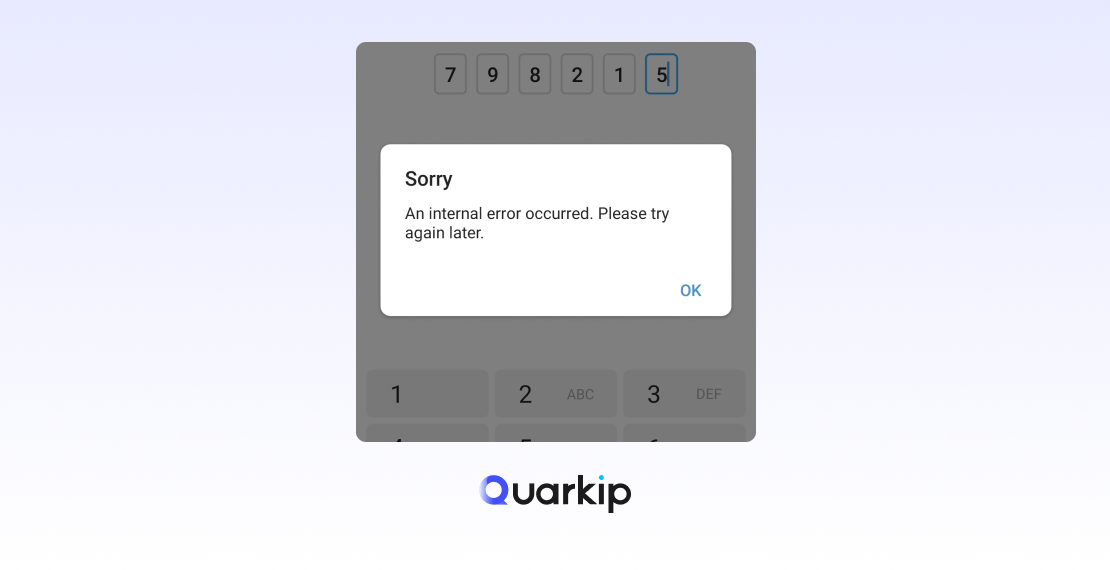
You enter your phone number, tap Continue, and wait for Telegram to send a verification code.
Nothing arrives.
You try again, but your SMS inbox is still empty. In other cases, Telegram says:
“We’ve sent the code to the Telegram app on your other device.”
That can be confusing, especially if you do not remember using Telegram anywhere else.
If your Telegram verification code is not received, the first thing to know is that Telegram does not always send login codes by SMS.
Depending on your account and authentication state, Telegram may send the code:
- inside Telegram on another connected device;
- by SMS;
- through a phone call in limited cases;
- or through another supported sign-in method, such as a passkey.
Telegram’s official FAQ explains that if you recently used Telegram on another device, including another Telegram app on the same device, Telegram may send the login code through the app instead of SMS.
So before you keep pressing Resend Code, work through these checks:
- Look at every device where Telegram may still be signed in.
- Confirm that you entered your phone number in full international format.
- Wait for the current verification timer to finish before requesting another code.
- Check whether Telegram is showing a One-time SMS Fee instead.
- Stop requesting new codes if Telegram shows a rate-limit warning.
- Update Telegram if the login flow appears outdated or broken.
- Use a passkey if you configured one earlier.
- Contact Telegram support if none of the available methods work.
The key point is simple:
Not receiving an SMS does not always mean Telegram failed to send your verification code.
Sometimes Telegram sent it somewhere else on purpose.
Where Does Telegram Send the Verification Code?
Before troubleshooting, find out which verification method Telegram actually selected.
Telegram can choose different delivery methods depending on the account, device, and current login state.
A simplified flow looks like this:
Enter phone number
        ↓
Telegram checks account and authentication state
        ↓
Telegram selects an available verification method
        ↓
In-app code / SMS / phone call / passkey
        ↓
User completes verification
        ↓
Login continues
The method Telegram chooses may be different from what you expected.
1. Telegram May Send the Code Inside the App
If your account still has an active Telegram session, Telegram may send the verification code directly to that session.
This is one of the most common reasons people search:
Telegram code not received
when the SMS system is not actually the problem.
Check:
- your old phone;
- a tablet;
- Telegram Desktop;
- Telegram Web;
- another Telegram app installed on the same device.
Open the verified service conversation named Telegram and look for the login code.
This in-app delivery method is intentional. Telegram uses existing authenticated sessions as a secure way to confirm that the person signing in already has access to the account.
2. Telegram Can Send the Code by SMS
If Telegram chooses SMS verification, it sends the code to the mobile number linked to the account.
Make sure you entered the number in international format:
+(country code)(carrier or area code)(phone number)For example:
+1 202 555 0123rather than:
02025550123Telegram currently requires a mobile number and does not support landlines for normal account registration.
If the number format is wrong, changing devices, networks, or apps will not solve the problem.
3. Telegram May Offer a Phone Call
Some users expect Telegram to automatically call them when SMS does not arrive.
That option exists only in certain situations.
Telegram says login codes delivered by phone call are available only for accounts with Two-Step Verification enabled.
Because of that, not every user will see a Call me option.
4. Passkeys Can Replace SMS in Some Logins
Telegram now supports passkeys.
If you created a passkey before losing access, Telegram may let you authenticate using:
- a device PIN;
- Face ID;
- a fingerprint;
- another supported biometric method.
This lets you sign in without waiting for an SMS code.
A passkey does not automatically remove a Two-Step Verification password if your account has one enabled, but it can reduce your dependence on SMS.
Why Is My Telegram Verification Code Not Arriving?
Several different problems can produce the same result: no usable code.
The best fix depends on the exact message Telegram shows.
1. Telegram Sent the Code to Another Device
This is one of the most common causes.
You may see:
“We’ve sent the code to the Telegram app on your other device.”
If Telegram shows that message, it may not send an SMS at all.
Instead of repeatedly checking your text messages, open any existing Telegram session and look for the code there.
Useful places to check include:
Old phone
↓
Tablet
↓
Telegram Desktop
↓
Telegram Web
↓
Another Telegram app
If you find the active session, use the code shown in the official Telegram service chat.
2. Your Phone Number Is Formatted Incorrectly
A small formatting mistake can stop verification before Telegram even attempts SMS delivery.
Common problems include:
- missing the country code;
- selecting the wrong country;
- entering a domestic prefix incorrectly;
- using an old or inactive number.
Before changing anything else, confirm the number first.
A wrong phone number cannot be fixed by switching to another network or reinstalling Telegram.
3. You Requested Too Many Codes
Repeatedly tapping Resend Code can create a second problem.
Telegram’s authentication system includes rate limits for excessive verification requests. Its API defines a condition called:
PHONE_NUMBER_FLOOD
which means the code was requested too many times.
The wrong troubleshooting pattern looks like this:
No code
↓
Request again
↓
Still no code
↓
Request again
↓
Request again
↓
Rate limit
Once Telegram displays:
“Too many attempts, please try again later”
stop requesting codes.
At that point, the problem has changed from code delivery to rate limiting.
Telegram does not publish one universal waiting period that applies to every rate-limit scenario, so avoid assuming that every case lasts exactly 24 hours.
4. Telegram Could Not Create or Deliver the SMS
Telegram also documents an authentication error called:
SMS_CODE_CREATE_FAILED
This shows that not every missing verification code comes from a problem on your phone.
A failure can occur anywhere in the delivery chain:
Telegram
   ↓
SMS provider
   ↓
Mobile carrier
   ↓
Your phone
Possible causes include:
- temporary carrier delays;
- SMS routing issues;
- roaming problems;
- service interruptions;
- Telegram-side code creation failures.
If your number is correct and Telegram says it sent an SMS, wait for the current timer to expire before trying again.
Repeated requests can make the problem harder to diagnose.
5. Your Mobile Carrier May Be Delaying the Message
SMS delivery is not perfectly reliable.
If Telegram says it sent a code but nothing appears:
- confirm that your SIM has signal;
- make sure airplane mode is off;
- test whether other SMS messages arrive;
- check roaming if you are abroad;
- restart the phone once;
- ask your mobile carrier whether it blocks short-code or international verification messages.
If normal text messages arrive but Telegram codes do not, the carrier may be filtering or delaying application-generated SMS.
6. Telegram Is Showing a One-time SMS Fee
This is a separate issue.
Some users now see:
“One-time SMS Fee”
and:
“High SMS Costs”
instead of the normal SMS flow.
Telegram explains that fake-account abuse and high SMS delivery costs in some countries can trigger this paid verification process.
In those cases, Telegram may ask the user to purchase one week of Premium before it sends the SMS verification code.
If you see that message, your problem is not simply a delayed code.
Treat it as a separate Telegram SMS Fee issue rather than repeatedly requesting another free SMS.
7. Your Telegram App Is Outdated
An outdated Telegram client can also interfere with login.
Telegram’s authentication API includes an UPDATE_APP_TO_LOGIN error, which tells users to update the client before trying to sign in again.
If your Telegram app is old:
- update it through the official app store;
- restart the application;
- begin the login flow again.
Avoid downloading random old APK files just because a forum post says an older version can force SMS delivery.
Old clients may:
- fail modern authentication checks;
- lack newer login features;
- create compatibility problems;
- expose you to security risks if downloaded from unofficial sources.
Use the current official Telegram client as your baseline.
8. Your Phone Number May Have Previous Telegram History
Some users see:
“Code sent to another device”
even though they believe they have never used Telegram before.
One possible explanation is a recycled phone number.
Mobile carriers sometimes reassign numbers that previously belonged to someone else. If an earlier owner used Telegram, the number may have account history attached to it.
That does not necessarily mean someone currently controls your number or account.
If you own the SIM but cannot identify any existing Telegram session, follow the official recovery process instead of relying on unofficial login tricks.
9. The Phone Number May Be Invalid or Banned
Telegram distinguishes between several phone-number problems.
Its authentication system includes errors such as:
PHONE_NUMBER_INVALID
and:
PHONE_NUMBER_BANNED
These require different responses.
If Telegram says:
“This phone number is banned”
waiting for another SMS will not solve the issue.
Likewise, an invalid-number error must be fixed before verification can continue.
Not every Telegram login problem is an SMS delivery problem.
How to Fix Telegram Verification Code Not Received
Use these steps in order.
Step 1: Check Every Existing Telegram Session
Start here before reinstalling anything.
Telegram may have sent the code directly to another authenticated device.
Check:
- old smartphones;
- tablets;
- computers;
- Telegram Desktop;
- Telegram Web;
- other Telegram apps.
Look for the verified Telegram service conversation.
If the code appears there, enter it on the device you are trying to sign into.
Step 2: Verify Your Phone Number Format
Make sure you entered:
+ Country Code
+ Carrier or Area Code
+ Phone Number
Check the country selection carefully.
If your carrier recently changed your number or SIM, confirm that Telegram still uses the number you currently control.
Step 3: Wait for the Verification Timer
Do not request another code while Telegram is still processing the current attempt.
Telegram can rate-limit users who request too many verification codes.
Waiting is often better than creating:
SMS delay
+
expired codes
+
rate limit
Let Telegram’s interface offer the next available verification step.
Step 4: Check Whether Telegram Used In-App Delivery
If Telegram says it sent the code to another device, the SMS inbox may remain empty by design.
Open every active Telegram session you can access.
This is especially important when moving to a new phone.
Do not log out of the old device until the new one is fully authenticated.
Step 5: Check Your SIM and Carrier
If Telegram explicitly says it sent an SMS:
- verify the correct SIM is installed;
- confirm cellular service;
- turn off airplane mode;
- test normal text-message delivery;
- review roaming settings;
- contact your mobile carrier if needed.
Ask whether the carrier filters short-code, verification, or international application SMS.
Step 6: Update Telegram
Install the latest official Telegram version.
Use:
- Google Play;
- Apple App Store;
- Telegram’s official distribution channel for your platform.
After updating, restart the app and try the login flow again once.
Step 7: Use a Passkey If Available
If you configured a Telegram passkey earlier, use it when Telegram offers that option.
A passkey can authenticate you through a PIN or biometrics instead of SMS.
This is especially useful when:
- your SIM is temporarily unavailable;
- SMS delivery is unreliable;
- you are signing into a new device.
You cannot create a new passkey after losing every form of access, so it works best as a preventive measure.
Step 8: Stop If Telegram Says “Too Many Attempts”
If Telegram now shows:
“Too many attempts, please try again later,”
stop requesting codes.
Continuing to retry will not help.
Telegram separates code-request floods from other login limits, so the cooldown may depend on the action that triggered it.
Wait until Telegram allows another attempt.
Step 9: Contact Telegram Support
Use Telegram’s official support channel if:
- the number is correct;
- you own the SIM;
- no other active session exists;
- Telegram never delivers the code;
- no alternative authentication method appears.
When contacting support, include:
- your country;
- mobile carrier;
- Telegram app version;
- operating system;
- the exact error message;
- whether Telegram says it used SMS or another device.
Never include your login code or Two-Step Verification password.
Telegram Says “Code Sent to Another Device,” but I Don’t Have Another Device
This message confuses many users.
Start by checking whether “another device” actually means:
- Telegram Desktop;
- a browser session;
- an old phone;
- a tablet;
- another Telegram app on the same device.
If none of those apply, use this sequence:
- Stop requesting codes repeatedly.
- Wait for Telegram to offer the next authentication method.
- Confirm that you control the mobile number.
- Check whether SMS becomes available later.
- Contact Telegram support if the account remains inaccessible.
Do not rely on random old Telegram versions or unofficial clients that claim to reveal hidden login options.
Those methods are inconsistent and can introduce additional security risks.
Why Telegram May Prefer an In-App Code
Telegram has a practical reason for using an existing session.
SMS delivery can fail, arrive late, or depend on mobile-carrier infrastructure.
An authenticated Telegram session already proves that the user has access to the account.
That leads to one useful rule:
Do not log out of your last working Telegram device until your replacement device is fully signed in.
An active session can become your easiest recovery method.
Should You Reinstall Telegram If the Code Doesn’t Arrive?
Usually not as your first step.
Reinstalling Telegram does not change:
- your phone number;
- your mobile carrier;
- Telegram’s server-side authentication decision;
- the destination Telegram selected for the code.
More importantly, uninstalling Telegram from your only authenticated device can remove the easiest place to receive an in-app code.
Try these lower-risk checks first:
Existing sessions
↓
Phone number format
↓
Verification timer
↓
Carrier and SIM
↓
App update
↓
Alternative authentication
Only consider reinstalling later if the application itself appears corrupted.
Does Changing Your IP Fix Telegram Verification Code Problems?
Usually not.
Telegram’s verification system depends primarily on:
- the phone number;
- the authentication method selected;
- mobile-carrier delivery;
- account state;
- existing sessions.
Switching from:
Wi-Fi
→ VPN
→ proxy
→ mobile hotspot
will not make an SMS appear if Telegram actually sent the code to another device.
An IP change also cannot fix:
- an invalid phone number;
- a banned phone number;
PHONE_NUMBER_FLOOD;- a One-time SMS Fee;
- a missing existing session.
Network connectivity matters for reaching Telegram, but network routing and phone verification are separate layers.
Can a Residential Proxy Make Telegram Send the Code?
There is no reliable evidence that it can.
Residential proxies serve legitimate use cases such as:
- localization testing;
- SEO monitoring;
- regional web research;
- public-data collection.
But they do not control:
- Telegram’s authentication method;
- the SMS provider;
- your mobile carrier;
- your phone number;
- whether Telegram selects in-app delivery.
If Telegram cannot connect at all because of local network restrictions, connectivity may be relevant.
If your actual issue is “Telegram verification code not received,” first determine where Telegram says it sent the code.
What to Avoid When the Telegram Code Doesn’t Arrive
Avoid Repeated Code Requests
Requesting new codes again and again can trigger Telegram’s rate limits.
A delayed code is easier to solve than a delayed code plus a flood restriction.
Keep Your Last Active Session
Your existing Telegram session may receive the next login code.
Avoid logging out before your replacement device is fully authenticated.
Protect Your Verification Code
Never share your Telegram login code with:
- another person;
- a website;
- a bot;
- a seller;
- someone claiming to be Telegram support.
Anyone with the code may be able to access your account.
Stay Away From Random Old APKs
Some community posts recommend outdated Telegram builds as a login workaround.
Old versions can create:
- compatibility problems;
- security vulnerabilities;
- missing authentication features.
Use the latest official Telegram release whenever possible.
Avoid Disposable Numbers for Important Accounts
Temporary numbers can create serious recovery problems.
If the number expires or gets reassigned, you may lose access the next time Telegram requests verification.
For important accounts, use a mobile number you control long term.
Don’t Blame the IP Too Quickly
A missing code can result from:
- in-app delivery;
- carrier delays;
- rate limits;
- phone-number problems;
- app-version issues;
- Telegram’s authentication routing.
An IP address is only one part of the network environment and is not the default explanation for every Telegram login problem.
Telegram Verification Code Troubleshooting Checklist
Use this quick table to identify the correct next step:
| What You See | Best Next Step |
|---|---|
| “Code sent to Telegram on another device” | Check every active Telegram session |
| Telegram says SMS was sent but nothing arrives | Check SIM, carrier, and verification timer |
| “Too many attempts” | Stop requesting codes and wait |
| “One-time SMS Fee” | Follow the SMS Fee verification flow |
| “This phone number is banned” | Treat it as a number/account restriction |
| Invalid phone number | Correct the international number format |
| Telegram requires an update | Install the latest official client |
| Passkey option appears | Use your configured passkey |
| No method works | Contact Telegram support |
How to Avoid Telegram Verification Problems in the Future
Once you regain access, prepare for the next login before you need it.
Keep Control of Your Phone Number
Telegram relies heavily on the mobile number linked to the account.
If you change numbers, update Telegram before giving up access to the old SIM.
Keep One Trusted Session Active
An existing Telegram session can receive future login codes directly.
This can save you from depending entirely on SMS.
Enable Two-Step Verification
Two-Step Verification adds an account password beyond the phone verification step.
It also expands the authentication options available in some login scenarios.
Create a Passkey
A passkey can let you sign in with a PIN or biometrics instead of waiting for SMS.
If Telegram supports passkeys on your device, setting one up can make future logins easier and more resilient.
Review Active Devices
Check Telegram’s device list occasionally.
Remove sessions you no longer recognize or use.
However, avoid terminating every session immediately before moving to a new phone.
FAQ
Why am I not receiving my Telegram verification code?
Telegram may have sent the code to another connected Telegram session instead of your SMS inbox.
Other possible causes include an incorrectly formatted number, mobile-carrier delays, repeated code requests, an outdated app, SMS routing problems, or a One-time SMS Fee.
Always check the exact message Telegram displays first.
Why is Telegram not sending me an SMS code?
Telegram does not always use SMS.
If another authenticated session exists, Telegram may send the login code directly through the app.
Check your other devices before assuming SMS delivery failed.
Where can I find my Telegram login code?
If Telegram used in-app delivery, open Telegram on another connected device and look for the verified Telegram service chat.
Never share that login code with anyone.
Why does Telegram say it sent a code to another device?
Telegram may have found an existing authenticated session and chosen it as the delivery method.
That session might be on:
- another phone;
- a tablet;
- Telegram Desktop;
- Telegram Web;
- another Telegram app.
How long should I wait for a Telegram verification code?
There is no universal SMS delivery time.
Follow the countdown and instructions shown in Telegram.
Avoid repeatedly requesting new codes while the current attempt is still active.
What does “Too many attempts” mean on Telegram?
It means Telegram has temporarily limited additional login or code requests.
Telegram distinguishes between several rate-limit conditions, including excessive verification-code requests.
Stop retrying and wait until Telegram allows another attempt.
Can Telegram call me with the verification code?
Sometimes.
Telegram only offers phone-call login codes in certain account states, including cases where Two-Step Verification is enabled.
Not every user will see this option.
Can I log in to Telegram without an SMS?
Yes, in some cases.
Telegram may:
- send a code to another active Telegram session;
- offer a passkey;
- use another supported verification method.
The available option depends on your account and current login state.
Why is Telegram asking me to pay before sending the code?
You may be seeing Telegram’s official One-time SMS Fee flow.
Telegram says fake-account abuse and high SMS costs in some countries can trigger this paid verification requirement.
This is different from an ordinary delayed SMS.
Will a VPN or proxy make Telegram send the code?
There is no reliable evidence that switching to a VPN or proxy directly solves a Telegram verification-code problem.
First determine whether Telegram selected SMS as the delivery method at all.
What should I do if Telegram still won’t send a code?
If you control the number, checked all active sessions, waited for the verification timer, confirmed the phone-number format, updated the app, and still cannot authenticate, contact Telegram support.
Include the exact error message and account environment details, but never send your login code or password.
Final Thoughts
When a Telegram verification code is not received, the biggest mistake is assuming:
“Telegram SMS is broken.”
Telegram authentication can follow several different paths.
Your code may be:
Sent to another Telegram session
          ↓
Delivered by SMS
          ↓
Delayed by the mobile carrier
          ↓
Blocked by a rate limit
          ↓
Replaced by another authentication method
Start by reading the message Telegram actually shows.
If Telegram says it sent the code to another device, check your existing sessions.
When an SMS was sent, verify your number, SIM, and carrier connection before generating another request.
If Telegram shows Too many attempts, stop retrying.
If you see One-time SMS Fee, treat it as a separate verification issue.
And if a passkey is available, use it instead of waiting for SMS.
The most reliable Telegram login strategy is not to request more and more codes.
It is to maintain control of your phone number, keep at least one trusted session active, configure additional authentication options, and understand where Telegram is actually sending the verification request.
PARTNER WITH QUARKIP Publish your content on QuarkIP Sponsored articles, guest posts and contextual link placements for proxy, web scraping, AI and developer audiences. Packages from $80 Start an inquiry →