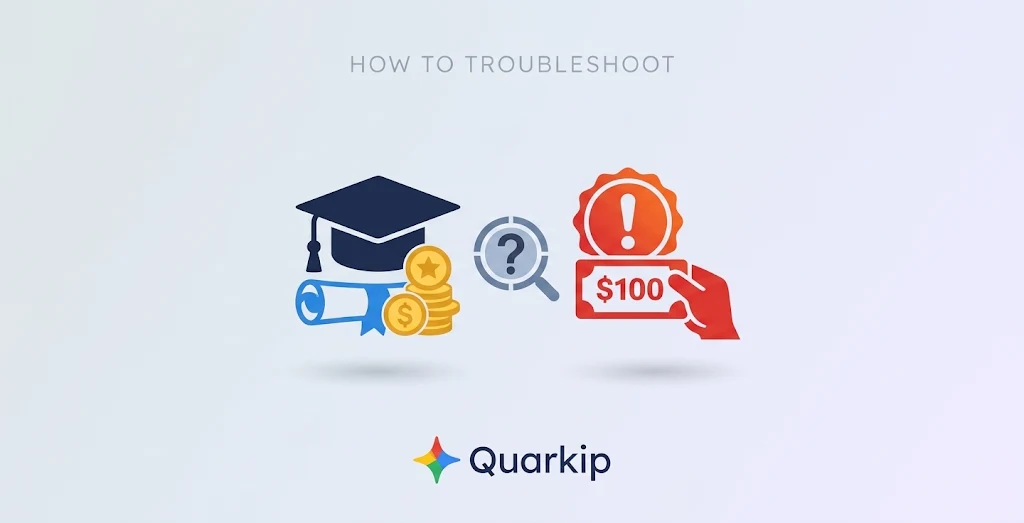
You completed student verification for the Codex offer, but your credit balance still looks empty. Maybe SheerID approved your enrollment, yet ChatGPT keeps sending you back to the verification page. Or perhaps you see a “Verification Limit Exceeded” message when you try again.
Before restarting the application, check three things:
- Are you signed in to the same ChatGPT account you used during student verification?
- Are you looking at your personal workspace, rather than another workspace or your OpenAI API billing account?
- Have you checked the Codex usage page for the promotional balance?
OpenAI’s student offer provides eligible university students in the United States and Canada with $100 in ChatGPT credits for Codex, equivalent to 2,500 credits. Once successfully claimed, the grant is automatically applied to the eligible ChatGPT account.
If your Codex student credits are not showing, the problem usually needs to be investigated at one of three stages: student verification, account association, or credit activation.
Here’s how to identify where the process stopped.
First, Find Out Where Your Claim Got Stuck
Not every missing-credit problem has the same cause.
Use the following table before attempting another verification.
| What You See | What It May Mean | Next Step |
|---|---|---|
| SheerID hasn’t approved you | Student verification is incomplete | Review the verification result |
| SheerID approved you, but no credits appear | Wrong account, workspace, or claim issue | Check the original ChatGPT account |
| You’re redirected to SheerID repeatedly | The current account may differ from the verified account | Return to the original account |
| “Verification Limit Exceeded” | Your identity may already be tied to another verification | Stop retrying and locate the original account |
| API credit balance shows $0 | You’re checking the wrong billing system | Open Codex Usage in ChatGPT |
| “Not Eligible” | School, location, or verification requirements may not be met | Review the student-offer terms |
The key is to establish whether SheerID has already approved your student status.
If verification is incomplete, resolve that first. If verification succeeded, focus on the account and credit balance instead of submitting your student information again.
SheerID Approved You. Why Is Your Codex Balance Still Zero?
Imagine this situation:
You usually sign in to ChatGPT with a personal Gmail address. During the Codex student-offer process, you also provide your university email for SheerID verification.
Later, you return to ChatGPT and notice that no credits appear.
It’s easy to assume the difference between your personal and university email addresses caused the problem.
However, OpenAI explicitly allows students to claim the offer using a personal ChatGPT account while verifying their student status with a university email.
The important detail is which ChatGPT account started the offer.
Check the Original ChatGPT Account
Return to the Codex for Students page.
Make sure you’re signed in to the account you used when beginning the verification process.
If you have multiple ChatGPT accounts, check them carefully. Your browser may have automatically signed you into a different account after the verification redirect.
Once you’ve identified the original account, open its personal workspace.
Then visit:
Codex Usage — Check Credit Balance
A successfully applied, unused student grant should initially display 2,500 credits, equivalent to $100.
If you’ve already used some credits, the remaining balance may be lower.
Don’t Confuse Personal and Organization Workspaces
One ChatGPT account can have access to different workspaces.
For example, you might use a personal workspace for individual projects while also belonging to a company or university workspace.
The student credit grant is associated with the eligible personal workspace.
Consequently, checking another workspace can create the impression that your credits never arrived.
Switch to the personal workspace associated with the claim and inspect the usage information again.
Codex Credits Are Not OpenAI API Credits
This distinction is another common source of confusion.
The student offer does not add $100 to your OpenAI API billing balance.
Instead, it provides credits for eligible Codex usage through ChatGPT.
| Where You’re Checking | Should the Student Grant Appear There? |
|---|---|
| Original ChatGPT account’s personal Codex usage | Yes, once applied |
| OpenAI API billing dashboard | No |
| A different ChatGPT account | No |
| An unrelated organization workspace | No |
| Separate Codex account | Not needed |
If your API balance remains at zero, that alone does not indicate a missing student offer.
Why Does Codex Keep Sending You Back to Student Verification?
A successful SheerID verification should not require you to repeatedly verify the same student identity.
Nevertheless, some users encounter a loop:
Complete SheerID verification → Return to ChatGPT → Open student offer → Asked to verify again
According to OpenAI’s support guidance, this often happens when the user returns through a ChatGPT account different from the one used during the original verification.
SheerID associates verification with personal details, including your name, institution, and date of birth. Repeating the process from another account can therefore create a conflict.
How to Break the Verification Loop
Start by closing any additional ChatGPT sessions that might be causing account confusion.
Next, sign in using the account that originally initiated the offer.
Return to the official student-offer page and review the claim status.
If the offer has already been applied, check the Codex usage balance rather than beginning verification again.
If the page still returns you to SheerID, stop and contact OpenAI Support.
Explain that student verification succeeded but the redemption flow does not complete.
Include the last step that worked and your verification reference, if available.
Avoid creating new accounts to repeat the claim. OpenAI currently does not support resetting the completed SheerID verification or transferring student eligibility between accounts.
“Verification Limit Exceeded”: What It Really Means
The message “Verification Limit Exceeded” can be misleading.
It might sound like a temporary server problem or a request-rate limit. However, in the Codex student-offer flow, OpenAI explains that it can arise when the same student information is submitted again through a different ChatGPT account.
Consider the following example:
A student starts verification through Account A, completes SheerID successfully, and then tries to claim the offer using Account B.
Because the student identity has already been used, attempting verification again can produce the limit message.
The appropriate next step is not to change browsers repeatedly or submit altered information.
Instead, return to Account A, the account associated with the original verification.
If you no longer have access to that account, contact OpenAI Support. Be aware that OpenAI does not currently offer a general transfer process for this student benefit.
This is different from a document being rejected by SheerID.
One problem concerns the relationship between identity and account. The other concerns verification of student status.
What If SheerID Never Approved Your Student Status?
If you haven’t received verification approval, your next step is different.
Start by reviewing the exact message displayed by SheerID.
Common verification difficulties may involve institutional eligibility, enrollment information, or difficulty confirming student status.
For the Codex offer, OpenAI requires students to be:
- Currently enrolled at a degree-granting university in the United States or Canada.
- Residing in the United States or Canada when claiming the offer.
- Successfully verified through SheerID.
The university email used for verification does not have to match the email used to sign in to ChatGPT.
If Your School Isn’t Accepted
Check the university’s official name and confirm that the institution meets the degree-granting requirement.
A school that qualifies for another student discount is not automatically eligible for the Codex offer.
Likewise, students studying outside the supported countries should not assume that a university email alone meets the offer requirements.
If Student Verification Fails
Follow SheerID’s instructions and submit accurate information or permitted enrollment evidence if requested.
For verification-related problems, use SheerID Support.
If you need more guidance on preparing student records, QuarkIP’s Gemini SheerID Verification Failed guide explains common document-quality and enrollment-date problems. However, the eligibility requirements for Google and OpenAI promotions are separate.
A VPN or proxy cannot change whether your university or location qualifies for the offer.
Verified but Still Missing Credits? Prepare a Useful Support Request
If you’ve completed verification and checked the correct account, but the Codex balance remains missing, contact OpenAI Support.
Instead of simply writing “My student credits don’t work,” describe the exact stage where the process failed.
A useful support request should establish four facts:
Account: Which ChatGPT account started the student offer?
Verification: Did SheerID confirm approval?
Redemption: Did you return to the offer page successfully, or were you redirected into another verification attempt?
Balance: Did you check the personal workspace’s Codex usage page?
You can use this message:
Subject: Codex Student Credits Missing After SheerID Approval
Hello OpenAI Support,
I completed SheerID verification for the Codex student credit offer, but I cannot find the promotional credits in my ChatGPT personal workspace.
I signed in with the ChatGPT account used to start verification and checked the Codex usage page.
My last successful step was: [describe the step].
Verification status: [approved / uncertain].
Error message, if any: [exact message].
Verification reference, if available: [reference].
Could you help confirm whether the credit grant was applied to the correct account?
Thank you.
Attach screenshots only when they help illustrate the problem. Remove passwords, authentication codes, and unnecessary personal information.
If verification itself is still pending or rejected, contact SheerID first. Once verification succeeds, unresolved account or credit activation issues belong with OpenAI Support.
What Happens After the $100 Credits Arrive?
Once the grant appears, you can use the credits for eligible Codex activity beyond the usage included in your ChatGPT plan.
A few conditions are worth remembering.
You don’t need ChatGPT Plus. Eligible Free, Go, Plus, and Pro users can claim the offer, subject to the published requirements.
You don’t need another Codex account. Codex uses your ChatGPT sign-in.
The grant is limited to one per student. It cannot be shared, sold, or transferred.
The credits expire. OpenAI’s standard published terms specify 12 months after the grant date, with a separate 180-day exception for users in Japan whose grants were issued after November 13, 2026. Check the terms applicable to your account.
Credits aren’t cash. The $100 promotional value supports eligible Codex usage, not withdrawals or API billing.
Once you’ve confirmed that the grant is present, use the Codex usage page to monitor your remaining balance and applicable limits.
Before You Try Verification Again
If your Codex student credits still aren’t showing, work through this final sequence:
- Confirm whether SheerID actually approved your student status.
- Identify the ChatGPT account that started the original claim.
- Switch to that account’s personal workspace.
- Check the Codex usage page, not API billing.
- Return to the student-offer page only if the claim is incomplete.
- Stop retrying if you encounter a verification loop or limit message.
- Contact SheerID for student-status problems or OpenAI Support for unresolved claim and credit issues.
The distinction matters: successful student verification is not the same thing as checking the correct credit balance.
Rather than repeating the entire application, identify where your claim stopped. That will help you choose the appropriate next step—and avoid creating a second account problem while trying to solve the first.
PARTNER WITH QUARKIP Publish your content on QuarkIP Sponsored articles, guest posts and contextual link placements for proxy, web scraping, AI and developer audiences. Packages from $80 Start an inquiry →