Residential proxies often feel like a “black box”: you connect, choose a location, and suddenly your traffic appears to come from a completely different household. But behind this simplicity is a complex system involving ISPs, routing logic, session control, and identity masking—designed to make your traffic indistinguishable from a real user’s.
In this breakdown, we’ll walk through how residential proxies work step by step, using easy language without oversimplifying the technical truth.
1. What Makes a Residential Proxy “Residential”?
Before we dig into the mechanics, it’s important to understand what differentiates a residential proxy from any other proxy type.
Residential IPs are assigned by real internet service providers
- AT&T
- Verizon
- BT
- Deutsche Telekom
- NTT
- Orange
- etc.
These are the same ISPs that assign IP addresses to homes and apartments.
So when you use a residential proxy, your traffic appears to come from a real household network, not a data center.
Why this matters
Websites trust residential IPs more because they represent normal user behavior. This is the core reason they bypass most anti-bot systems.
2. The Full Journey: What Happens When You “Connect”
Let’s break down the process in the exact order it happens.
Step 1 — Your device sends a request to the proxy provider
When you open your proxy client or connect through an API, your device sends:
- Your target URL
- Your rotation settings
- Your preferred location
- Authentication credentials
This request hits the provider’s gateway server.
Think of the gateway as the “switchboard operator” that decides which residential IP will handle your request.
Step 2 — The gateway selects a residential node
This is where the magic happens.
Residential proxy providers maintain global networks of available IPs.
These IPs come from:
- ISP partnerships
- Long-term leases
- Residential network agreements
- Crowdsourced device programs
- Edge-network integrations
- Or hybrid models combining multiple sources
The gateway selects a node based on:
- Country / city / ASN
- Network quality
- Bandwidth availability
- IP “freshness”
- Reputation score
- Session stability
This selection must happen in under 50 milliseconds to avoid user-side delay.
Step 3 — Traffic is routed through the residential IP
Once the gateway assigns you a residential node:
- Your traffic is encrypted.
- The gateway forwards it to the selected residential exit point.
- The residential node makes the request to the target website.
- The website sees the residential IP as the requester—not you.
Important:
At no stage does the node owner see your data.
Traffic passes through controlled, encrypted tunnels.
3. How Websites See You
When your request reaches a website (e.g., Instagram, Amazon), the server checks several identifiers:
- IP geolocation
- ASN category (residential vs datacenter)
- Device fingerprint
- Browser attributes
- Network latency
- Traffic pattern consistency
Residential proxies only change the IP layer—but this is often the most important part.
What the target website sees:
Household IP from:
• Hong Kong → PCCW
• Germany → Deutsche Telekom
• Brazil → Vivo
• US → Comcast / Spectrum / AT&T
This is why residential traffic looks authentic.
4. Session Control: Sticky vs Rotating Residential Proxies
Residential proxies support two modes:
Sticky IP
You keep the same IP for:
- 1 minute
- 10 minutes
- 30 minutes
- Custom duration (depending on provider)
Useful for:
- Login sessions
- Adding to cart
- Social media tasks
- Account creation
Rotating IP
Your IP changes automatically on:
- Every request
- Every minute
- Custom intervals
Useful for:
- Scraping
- Market intelligence
- Ad verification
- Huge task automation
How rotation works internally
The gateway dynamically picks a new residential node every time your rotation trigger activates.
It’s essentially:
IP hopping across the entire residential network without disconnecting.
5. DNS & Routing: What Actually Moves Through the Network
This is where most explanations oversimplify. Let’s keep it accurate but digestible.
Your device sends:
DNS Request → TCP Handshake → HTTPS Payload → Response
Residential proxies complete this path like this:
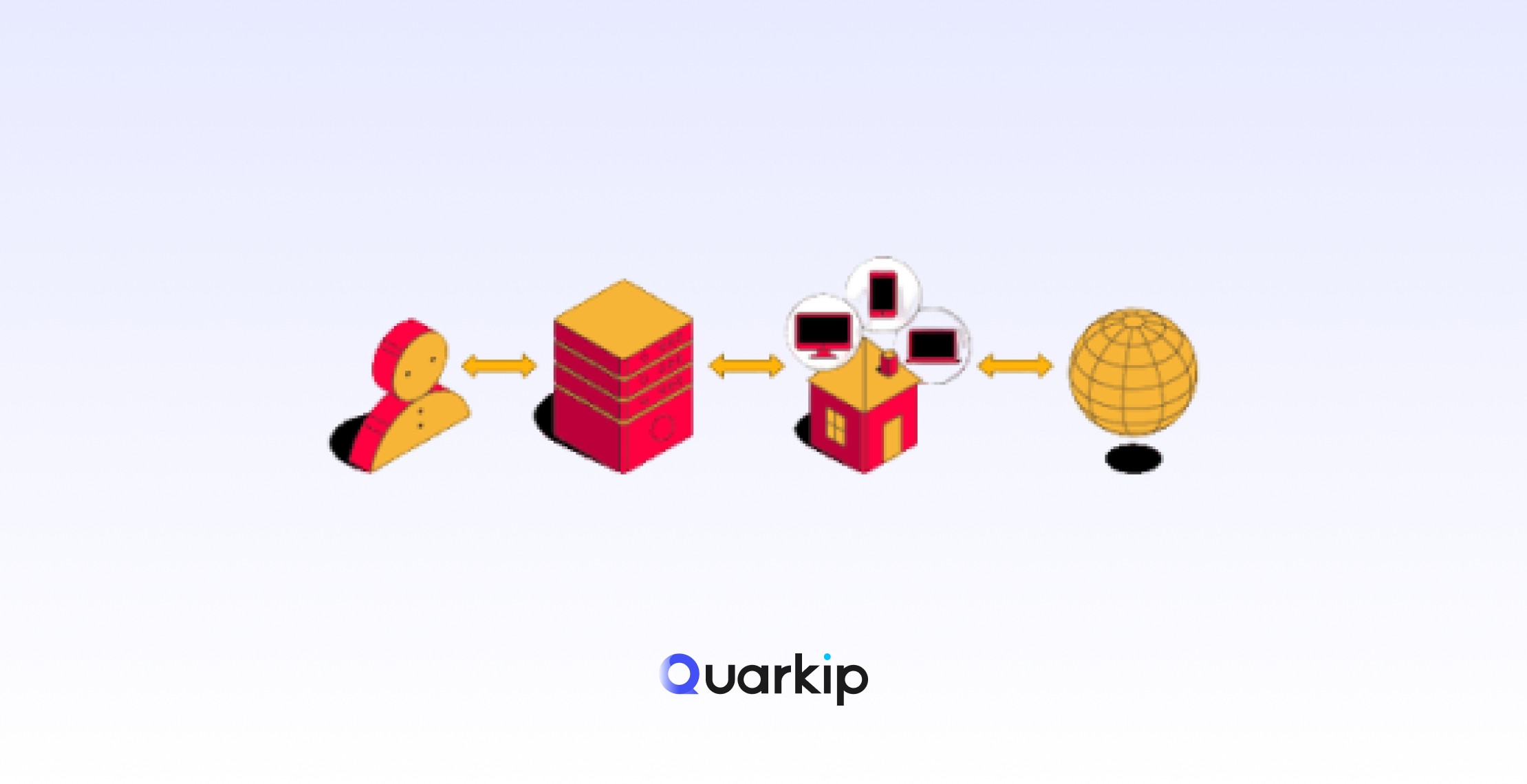
YOU → Gateway → Residential Node → Target Website → Node → Gateway → YOU
Key routing behaviors:
- DNS can be resolved locally or through the residential node
- TCP handshake originates from the residential IP
- HTTPS payload is fully encrypted end-to-end
- Gateway handles congestion & load balancing
This ensures:
- High anonymity
- Minimal latency
- Reduced block risk
6. How Residential Proxies Avoid Anti-Bot Detection
Modern websites use extremely advanced detection systems (Cloudflare, DataDome, PerimeterX, Kasada).
Residential proxies avoid detection through:
✔ IP Reputation Scoring
Nodes with too many failed requests are automatically removed.
✔ Distributed Traffic Patterns
No single IP handles too much volume.
✔ Low Behavioral Footprint
Residential IPs naturally match real-world browsing characteristics.
✔ ASN Type: “ISP Residential”
Datacenter IPs almost always get auto-flagged.
✔ Geolocation Accuracy
IP ↔ Timezone ↔ Browser locale consistency reduces risk.
This is why residential proxies can access platforms that block data center proxies instantly.
7. Performance Challenges
Residential proxies aren’t perfect—here are the real engineering challenges and how top providers address them.
Challenge 1 — IP quality varies
Household networks have inconsistent speeds.
Solution:
Dynamic node scoring and automated filtering.
Challenge 2 — Traffic congestion
Residential nodes share real bandwidth.
Solution:
Load balancing + redundancy routing.
Challenge 3 — Location granularity
Not all pool qualities are equal across regions.
Solution:
Geo-routing + multiple regional sub-pools.
Challenge 4 — Session breaks
Residential IPs sometimes change unexpectedly.
Solution:
Sticky sessions through gateway-level caching.
These optimizations determine whether a proxy feels “cheap” or “premium.”
8. The Entire Process in One Simple Flow
Here’s a clear, jargon-free summary:
1. You connect to the proxy gateway
2. The gateway picks a residential IP
3. Your traffic is encrypted
4. Traffic routes through a real household IP
5. Website sees a normal user instead of you
6. IP rotates automatically (if enabled)
That’s the full picture—accurate, technical, but easy to understand.
Conclusion
Residential proxies are powerful because they operate on top of real ISP networks, blending seamlessly with organic user traffic. Behind every “easy” proxy connection is a sophisticated system of routing, encryption, node scoring, load balancing, and IP allocation logic.
Whether you’re collecting market data, verifying ads, running multi-account workflows, or performing localization testing, residential proxies remain one of the most effective, stable, and trusted tools for accessing the internet at scale.
PARTNER WITH QUARKIP Publish your content on QuarkIP Sponsored articles, guest posts and contextual link placements for proxy, web scraping, AI and developer audiences. Packages from $80 Start an inquiry →