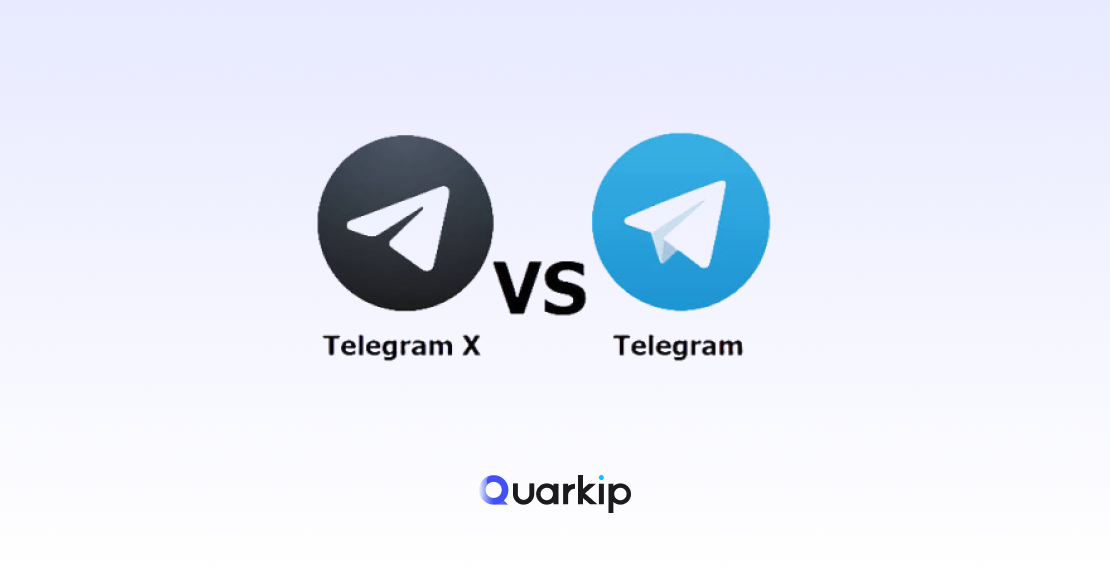
Telegram and Telegram X look similar at first.
Both connect to the same Telegram network. They let you send messages, join groups, follow channels, share media, and sign in with your existing Telegram account.
So why do two Telegram apps exist — and is Telegram X still worth using in 2026?
The short answer is that Telegram X is an official alternative Telegram client for Android built around TDLib. It focuses more heavily on smooth animations, speed, gestures, and experimental interface ideas. By contrast, the standard Telegram app remains the primary client and generally receives Telegram’s newest platform features more consistently.
Telegram X is still available and maintained on Android in 2026. Google Play currently lists Telegram FZ-LLC as its developer and describes it as an alternative Telegram client focused on higher speed, smoother animations, and experimental features.
In this guide, we’ll compare Telegram vs Telegram X in detail, including performance, features, battery usage, safety, multi-account support, login behavior, verification-code issues, and which app makes more sense for different users.
Quick Answer: Telegram vs Telegram X
For most users, the regular Telegram app is the better default choice in 2026 because it is Telegram’s primary client and usually receives the latest platform features first.
Telegram X may be a better fit if you:
- Use Android
- Prefer smoother animations and gesture-heavy navigation
- Like experimenting with alternative interfaces
- Want a lightweight-feeling Telegram experience
- Prefer Telegram X’s chat-preview and navigation behavior
Importantly, Telegram X is not a fake or unofficial clone. Telegram originally launched it as an official experimental client, and the Android version is still published by Telegram FZ-LLC.
What Is Telegram X?
Telegram X is an alternative Telegram client originally created to explore new approaches to speed, interface design, animations, and mobile performance.
Telegram officially introduced Telegram X in January 2018 as an experimental project. Instead of simply redesigning the existing Telegram app, the X clients were developed using different codebases.
On Android, Telegram X was built using TDLib, or Telegram Database Library.
TDLib handles important underlying functions such as:
- Network communication
- Encryption
- Local data storage
- Telegram API interaction
As a result, the application itself can focus more heavily on interface design and responsiveness.
Telegram described the goal of Telegram X as exploring improvements in speed, usability, animation quality, and other parts of the overall Telegram experience.
Is Telegram X Official?
Yes.
Telegram X is an official Telegram client.
Telegram itself announced the project, while the current Android application is published on Google Play by Telegram FZ-LLC.
That distinction matters because many unofficial Telegram clients and modified APKs are available online.
For example, Telegram X should not be confused with:
- Unofficial Telegram mods
- Modified Telegram APKs
- Third-party Telegram clones
- Apps using similar names or icons
Therefore, if you want to install Telegram X, use the official Google Play listing rather than downloading APK files from unknown websites.
Is Telegram X Still Supported in 2026?
Yes.
Telegram X remains available for Android in 2026. Google Play currently shows that the app was updated on January 6, 2026 and has more than 100 million downloads.
However, there is an important distinction:
Telegram X does not receive updates at the same pace as Telegram’s main app.
The main Telegram client continues to receive major product updates frequently. In 2026 alone, Telegram has introduced features involving:
- AI summaries
- AI text editing
- Expanded polls
- Chat automation
- Guest AI bots
- Bot-to-bot communication
- Managed bots
- AI guardians for groups
- Rich text for bots
- Communities
- Ephemeral group messages
Meanwhile, Telegram X remains more focused on being an alternative Android client rather than serving as Telegram’s primary feature-development platform.
Is Telegram X Available on iPhone?
Not as a separate modern Telegram X app.
Telegram originally launched Telegram X for both Android and iOS. Over time, however, Telegram incorporated the iOS Telegram X codebase into its main iPhone client.
By October 2018, the Telegram X technology on iOS had effectively become part of the main Telegram experience.
Therefore, the situation in 2026 is simple:
Android: Telegram and Telegram X remain separate choices.
iPhone/iOS: Use the standard Telegram app.
This distinction is worth mentioning because many older Telegram X comparison articles still discuss a separate iOS version as though it remains a standalone option.
Telegram vs Telegram X: Key Differences
Here is the simplest comparison.
| Feature | Telegram | Telegram X |
|---|---|---|
| Official client | Yes | Yes |
| Android | Yes | Yes |
| iOS | Yes | No separate current X app |
| Main Telegram client | Yes | No |
| TDLib-based | Different main-client architecture | Yes |
| Experimental interface | Limited | Strong focus |
| Smooth animations | Very good | Major design focus |
| Gesture navigation | Standard | More gesture-heavy |
| Latest Telegram features | Usually arrives first | May arrive later |
| Channels | Yes | Yes |
| Groups | Yes | Yes |
| Bots | Yes | Yes |
| Multiple accounts | Yes | Yes |
| Best default for most users | Yes | Depends on preference |
At this point, the biggest difference is no longer basic messaging capability.
Both apps connect to Telegram and support the core communication experience. Instead, the real distinction lies in product philosophy.
Telegram is the primary product, while Telegram X is an alternative Android experience.
Telegram X vs Telegram: Which Is Faster?
Speed has always been one of Telegram X’s main selling points.
Telegram originally described Telegram X for Android as faster and more battery-efficient than the original application. Its current Google Play description still emphasizes:
- Higher speed
- Smoother animations
- Experimental features
However, that does not mean Telegram X will always benchmark faster on every phone in 2026.
Actual performance depends on factors such as:
- Android version
- Device processor
- Available RAM
- Number of chats
- Telegram cache size
- Media downloads
- Background activity
- Battery optimization settings
- Network quality
For example, on a modern flagship phone, the difference may be difficult to notice.
On some older or lower-powered Android devices, by contrast, users may prefer how Telegram X feels because of its interface design and animation behavior.
Telegram X vs Telegram Battery Usage
Battery efficiency was another original design goal of Telegram X.
Historically, Telegram described the Android version as more battery-efficient. Still, that does not mean Telegram X always consumes less battery in every situation.
In practice, battery usage depends heavily on how you use the app.
Battery consumption may increase when you:
- Automatically download large videos
- Stay in many active groups
- Receive frequent notifications
- Stream media
- Make voice or video calls
- Run Telegram heavily in the background
- Keep multiple accounts active
In addition, Android manufacturers apply different background-process rules.
If battery life is important to you, the best approach is to test both apps under your normal usage pattern instead of assuming one will always outperform the other.
Telegram vs Telegram X User Interface
Interface design is where Telegram X feels most different.
From the beginning, Telegram X was built to experiment more aggressively with gestures, transitions, and navigation.
Its original design introduced features such as:
- Smoother animations
- Chat previews
- Gesture-based navigation
- Swipe actions
- Bubble-free chat layouts
- Reworked profile pages
- Alternative media navigation
Over the years, however, the main Telegram app has also evolved significantly.
As a result, some ideas that once made Telegram X feel radically different are less unusual today. Even so, users who enjoy experimenting with interface behavior may still prefer Telegram X.
Chat Preview in Telegram
One historically distinctive Telegram X feature is chat preview.
Users can press and hold a chat to preview its contents without fully opening the conversation.
Telegram also extended this idea across several parts of the interface, including:
- Chat lists
- Forwarding menus
- Sharing menus
- Calls
- Groups in common
For users who manage large numbers of conversations, this interaction can make browsing feel faster and more efficient.
Telegram X Gestures
Telegram X also places stronger emphasis on gestures.
Examples have historically included:
- Swiping between Chats and Calls
- Swiping on messages to access actions
- Quickly navigating shared media
- Previewing content without fully opening chats
Some users find these interactions faster and more intuitive. Others, however, prefer Telegram’s more conventional navigation.
Ultimately, this is a usability preference rather than a major functional advantage.
Telegram vs Telegram X Features in 2026
For users who care about the newest Telegram features, the main Telegram app has a clear advantage.
Telegram’s development pace has accelerated substantially. In 2026, the main platform has already added features involving:
- AI
- Bots
- Group management
- Communities
- Polls
- Automation
- Content creation
For example, Telegram introduced Guest Bots, bot-to-bot communication, chat automation, and managed bots in May 2026.
Later, it added AI guardians for groups and rich text for bots in June, followed by Communities and ephemeral group messages in July.
Therefore, if you regularly use:
- Telegram Business
- Advanced bots
- Channel administration
- Group moderation
- New Telegram features
- AI-related Telegram tools
the main Telegram app is generally the safer default.
Telegram vs Telegram X for Bots
Both clients can interact with Telegram bots because bot functionality is primarily part of Telegram’s platform and backend.
However, there is a difference between being able to use a bot and receiving every new bot-related interface feature immediately.
The main Telegram client is more tightly aligned with Telegram’s latest platform releases.
That matters because Telegram has expanded its bot ecosystem significantly in 2026.
Consequently, users who depend heavily on:
- AI bots
- Business chatbots
- Bot administration
- Bot-to-bot communication
- Group automation
may prefer the main Telegram app.
Telegram vs Telegram X for Channels
Both Telegram and Telegram X can:
- Join channels
- Read channel posts
- View media
- Receive notifications
- Interact with supported channel features
For ordinary subscribers, either app works well.
Channel owners and administrators, however, may prefer the standard Telegram app because new channel-management features tend to appear there as part of Telegram’s main product updates.
Telegram vs Telegram X for Groups
The same principle applies to groups.
Both clients support Telegram groups. However, Telegram’s group ecosystem has become increasingly sophisticated.
In 2026, Telegram introduced features such as:
- AI-powered group moderation
- Communities
- Ephemeral group replies
- Expanded polls
- Managed bots
Therefore, users who administer large communities will generally get the most consistent access to new platform functionality through the regular Telegram app.
Telegram vs Telegram X for Multiple Accounts
Both applications can support multiple Telegram accounts.
This can be useful if you maintain separate accounts for:
- Personal communication
- Work
- Community management
- Different phone numbers
Nevertheless, Telegram X should not be treated as a way to bypass Telegram’s account limits, authentication controls, or anti-abuse systems.
Your accounts still connect to Telegram’s backend. As a result, using a different Telegram client does not remove Telegram’s normal security and verification rules.
Can You Use Telegram and Telegram X at the Same Time?
Yes.
On Android, Telegram and Telegram X are separate applications. Therefore, you can install both on the same device.
You can also sign into the same Telegram account on multiple authorized Telegram sessions.
However, logging into Telegram X still requires normal Telegram authentication.
Depending on your account state, Telegram may send the login code:
- To another active Telegram session
- By SMS
- Through another supported verification method
So, while both apps can coexist, using them together does not bypass Telegram’s authentication process.
Can You Use the Same Phone Number on Telegram and Telegram X?
Yes.
Telegram X connects to the same Telegram account system.
In other words, you do not create a separate “Telegram X account.”
Your Telegram identity remains associated with your normal Telegram account, while Telegram X simply provides another way to access it.
Telegram X Login Code Sent to Another Device
One situation that surprises new Telegram X users is seeing a message saying the login code was sent to another Telegram device.
This usually means you already have an active Telegram session.
Instead of immediately sending an SMS, Telegram may first send the authentication code inside Telegram itself.
Therefore, check:
- Your current phone
- An old phone
- Telegram Desktop
- A tablet
- Another authorized Telegram session
Most importantly, do not log out of an existing working session while troubleshooting.
That session may be the easiest way to receive your login code or review account security settings.
Telegram X Verification Code Not Received
If you’re trying to log in to Telegram X but the verification code does not arrive, changing Telegram clients may not solve the underlying problem.
The issue can occur elsewhere in the verification process.
Possible causes include:
- Code sent to an existing Telegram session
- Incorrect phone number
- SMS delivery delay
- Carrier filtering
- Too many verification requests
- Telegram authentication rate limits
- Expired or replaced verification codes
- Temporary login restrictions
First, check any other active Telegram sessions.
Next, confirm the phone number and allow the current verification attempt to finish before requesting another code.
Don’t Request Too Many Telegram Codes
Repeatedly tapping the resend button can create a second problem.
Telegram applies rate limits to authentication requests. For instance, excessive code requests can trigger verification restrictions or flood waits.
As a result, a simple delivery delay can become:
Too many attempts. Please try again later.
If Telegram has already rate-limited you, stop requesting codes and wait for the restriction to expire before troubleshooting further.
Telegram X Login Problems: What Should You Try First?
If Telegram X does not let you sign in, use the following order.
Step 1: Check Other Telegram Sessions
Telegram may deliver your code in-app instead of through SMS.
Step 2: Verify the Phone Number
Check:
- Country code
- Number
- Active SIM
Step 3: Wait for the Current Code
Avoid generating several verification codes within a few minutes.
Step 4: Update Telegram X
Use the latest official Google Play version.
Step 5: Try the Main Telegram App
If the standard Telegram app works normally but Telegram X does not, the problem may be client-specific.
Step 6: Stop If Telegram Shows a Rate Limit
When you see Too many attempts or another cooldown message, repeated login attempts are unlikely to help.
Instead, wait until the restriction expires before trying again.
Does Reinstalling Telegram X Fix Login Problems?
Sometimes reinstalling can solve local application problems such as:
- Corrupted cache
- Broken app files
- Failed local updates
However, reinstalling will not normally reset server-side authentication restrictions.
For example, if Telegram has rate-limited your phone number or login attempt, deleting Telegram X does not erase that restriction.
You should also be especially careful if you are considering uninstalling your only active Telegram app. Keeping an existing authorized session can be extremely useful during account recovery.
Is Telegram X Safe?
The official version is a legitimate Telegram client.
Telegram launched Telegram X itself, and the current Google Play listing is published by Telegram FZ-LLC.
However, safety also depends on where you obtain the app.
Avoid:
- Random APK download websites
- Modified Telegram X clients
- “Premium unlocked” builds
- Cracked Telegram versions
- Unknown third-party repackaging
If an unofficial app asks for your Telegram login code, remember that this code can grant access to your account.
Therefore, use trusted distribution channels only.
Is Telegram X More Private Than Telegram?
Do not assume Telegram X automatically provides stronger privacy simply because it is a different client.
Both connect to Telegram’s ecosystem.
Privacy depends on factors such as:
- Telegram account settings
- Chat type
- Active sessions
- Two-step verification
- Device security
- Application source
In other words, Telegram X’s main differentiators are interface, performance philosophy, and experimental design — not a completely separate privacy model.
Is Telegram X Better for Older Android Phones?
Possibly, but not universally.
Telegram X was originally designed with performance and efficiency as priorities. Therefore, some users may prefer its responsiveness on older Android hardware.
That said, modern Telegram has also received years of optimization.
Performance ultimately depends on the specific phone.
If your device struggles with Telegram, compare:
- Startup speed
- Scrolling performance
- Media loading
- Background battery use
- RAM usage
- Notification reliability
Then use whichever app performs better on your actual hardware.
Telegram vs Telegram X for Low Storage Devices
Storage usage can vary depending on:
- Cached media
- Downloaded files
- Videos
- Voice messages
- Number of accounts
- Automatic download settings
Neither application can overcome a very large Telegram media cache indefinitely.
If storage becomes a problem, you can:
- Clear old cached media
- Adjust auto-download settings
- Reduce unnecessary downloads
- Review storage usage periodically
Therefore, client choice alone is not a complete storage-management strategy.
Telegram vs Telegram X for Daily Messaging
For basic messaging, the difference is relatively small.
Both can handle:
- Private chats
- Groups
- Channels
- Photos
- Videos
- Voice messages
- Files
- Stickers
- Calls
If you simply want Telegram to work with minimal thought, the main Telegram app is the easier choice.
On the other hand, if you already use Telegram heavily and want a different Android experience, Telegram X is worth testing.
Telegram vs Telegram X for Power Users
Power users should first think about what “power user” actually means.
If it means:
- Latest Telegram features
- Bot automation
- Channel management
- Business tools
- Community management
the regular Telegram app makes more sense.
By contrast, if it means:
- Fast navigation
- Interface experimentation
- Gesture-heavy workflows
- Alternative visual design
Telegram X may be more interesting.
Does Telegram X Require a Different Network?
No.
Telegram X connects to Telegram’s infrastructure like other Telegram clients.
It does not require a special internet connection.
Therefore, if your network can access Telegram normally, Telegram X should generally be able to connect as well.
Does Telegram X Need a Proxy?
No.
Most users do not need a proxy simply because they use Telegram X.
A proxy becomes relevant only when there is a separate network-level reason for using one.
For example:
- Testing localized internet access
- Conducting region-specific research
- Working from restricted networks where permitted
- Maintaining a consistent network endpoint for legitimate remote workflows
The choice between Telegram and Telegram X itself does not determine whether you need a proxy.
Can a Proxy Fix Telegram X Login Problems?
Usually not if the problem is related to authentication.
A proxy changes your network route and public IP address. However, it does not automatically fix:
- Incorrect verification codes
- Telegram rate limits
- Too many code requests
- Incorrect phone numbers
- Two-step verification passwords
- Codes sent to another device
If Telegram explicitly tells you to wait because of too many attempts, switching through multiple IP addresses is not a reliable way to reset the restriction.
Therefore, network troubleshooting and account-authentication troubleshooting should be treated separately.
Residential vs ISP Proxies for Telegram-Related Network Testing
For legitimate testing or network research, different proxy types serve different purposes.
Residential Proxies
Residential proxies use ISP-assigned residential IPs and are useful when a workflow needs:
- Broad geographic coverage
- Country targeting
- State or city targeting
- Rotating IP addresses
- Localization testing
QuarkIP’s residential proxy network currently supports more than 50 million residential IPs across 200+ locations with state- and city-level targeting.
ISP Proxies
ISP proxies, also called static residential proxies, keep the same residential-style IP for longer sessions.
They are more appropriate when a workflow requires:
- Persistent IP addresses
- Long sessions
- Stable network identity
- Unlimited bandwidth
QuarkIP’s ISP proxy service currently provides dedicated ISP-assigned IPs across more than 26 countries.
For normal Telegram messaging, however, neither type is a requirement.
Telegram vs Telegram X: Which One Should You Use?
The right choice depends on what you value most.
| If You Want… | Better Fit |
|---|---|
| The default Telegram experience | Telegram |
| The newest Telegram features | Telegram |
| Telegram Business tools | Telegram |
| Advanced bot features | Telegram |
| Channel and community management | Telegram |
| iPhone support | Telegram |
| Experimental Android interface | Telegram X |
| Gesture-heavy navigation | Telegram X |
| Smooth animation-focused experience | Telegram X |
| An alternative Android Telegram client | Telegram X |
For most people, Telegram is the better starting point.
Telegram X, meanwhile, makes sense mainly for Android users who specifically prefer its interface, animations, gestures, or experimental design.
Telegram X Pros and Cons
Advantages
- Official Telegram client
- Alternative Android interface
- Smooth animations
- Gesture-focused navigation
- TDLib-based architecture
- Useful chat preview behavior
- Still maintained in 2026
Disadvantages
- Android only as a separate app
- Not Telegram’s primary client
- New Telegram platform features may appear later
- Smaller reason to switch than when Telegram X first launched
- Troubleshooting information online is often outdated
Telegram Pros and Cons
Advantages
- Telegram’s main official app
- Android and iOS support
- Fast feature updates
- Strong bot ecosystem
- Telegram Business support
- Better fit for channel and community administrators
- Largest documentation and troubleshooting ecosystem
Disadvantages
- Some users prefer Telegram X’s animations
- Interface may feel less experimental
- Certain Telegram X gestures may feel faster to experienced X users
Can Telegram X Replace Telegram Completely?
For many Android users, yes.
Telegram X can handle normal Telegram communication.
However, whether it should replace Telegram depends on how much you rely on newly released platform features.
If your Telegram usage is mostly:
- Messaging
- Groups
- Channels
- Media
Telegram X can work perfectly well.
If you frequently use the newest Telegram tools, however, the standard client is usually more practical.
Is Telegram X Better Than Telegram?
There is no universal answer.
Telegram X is not simply “Telegram but better.”
Instead, it is an alternative interpretation of the Telegram experience.
Telegram X prioritizes:
- Interface experimentation
- Gestures
- Smooth visual behavior
- Alternative navigation
Telegram, by comparison, prioritizes:
- Platform completeness
- New features
- Broad device support
- Business functionality
- Mainstream development
The apps overlap heavily, but they serve slightly different preferences.
FAQ
What is Telegram X?
Telegram X is an official alternative Telegram client for Android built using Telegram’s TDLib technology.
It focuses on speed, smooth animations, gestures, and experimental interface features.
Is Telegram X official?
Yes.
Telegram originally launched Telegram X itself, while the current Android app is published by Telegram FZ-LLC.
Is Telegram X safe?
The official Google Play version is a legitimate Telegram application.
However, you should avoid modified APKs and unofficial Telegram X downloads.
Is Telegram X still supported in 2026?
Yes.
The Android app remains available, and Google Play currently shows an update dated January 6, 2026.
Final Thoughts
The difference between Telegram and Telegram X in 2026 is much smaller than it was when Telegram X first launched.
Telegram X remains an official, maintained Android client with a distinctive focus on performance, animations, gestures, and experimental interface ideas.
Meanwhile, the main Telegram app has evolved rapidly and now receives Telegram’s newest AI, bot, automation, group, community, and business features as part of Telegram’s primary development path.
For most users, the conclusion is straightforward:
Use Telegram if you want the most complete and current Telegram experience.
Telegram X is still worth considering if you use Android and specifically prefer its alternative design, gestures, chat previews, or animation style.
Finally, if your real problem is login, verification codes, or a “Too Many Attempts” error, switching between Telegram and Telegram X is unlikely to solve the underlying authentication issue by itself.
Fix the account or verification problem first. Then choose whichever Telegram client better matches the way you like to use Telegram.
PARTNER WITH QUARKIP Publish your content on QuarkIP Sponsored articles, guest posts and contextual link placements for proxy, web scraping, AI and developer audiences. Packages from $80 Start an inquiry →