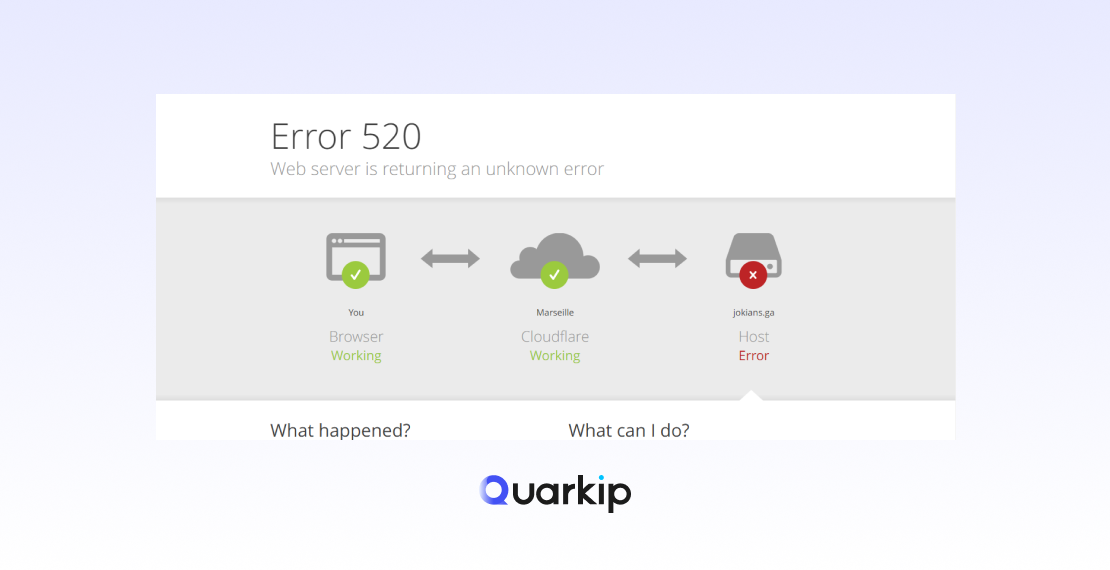
Cloudflare Error 520, officially shown as “Web server is returning an unknown error”, is often mistaken for a random or unexplained failure.
In reality, this error appears at a very specific stage of the request lifecycle.
At this point, Cloudflare has already connected to the origin server successfully. The failure happens only after the connection is established but before a valid HTTP response can be processed.
That distinction immediately rules out DNS issues, basic connectivity problems, and most CDN-level outages.
The Request Lifecycle Behind Error 520
To see why this error occurs, it helps to follow a single request from start to finish:
- A client sends a request to Cloudflare
- Cloudflare establishes a TCP connection with the origin server
- The origin server processes the request
- An invalid, incomplete, or unexpected response is returned
When step four fails to meet HTTP expectations, Cloudflare responds with Error 520.
Why the Error Is Labeled as “Unknown”
From Cloudflare’s perspective, the response violates standard HTTP behavior.
Because the failure does not match a specific gateway or timeout category, Cloudflare classifies it as an “unknown error.”
Common patterns behind this classification include:
- Headers returned in an invalid format
- Response bodies sent without complete headers
- Connections closed before headers are fully transmitted
- Application-level crashes during response generation
Although the message sounds vague, the signal itself is precise.
The Most Common Real-World Causes of Cloudflare Error 520
Operational experience shows that Error 520 is usually triggered by origin-side behavior, not by Cloudflare infrastructure.
Invalid or Unexpected HTTP Headers
Improperly formatted headers or oversized values frequently cause Cloudflare to reject responses.
This situation often appears in custom authentication layers, legacy frameworks, or manually modified server configurations.
Premature Connection Termination
In some cases, the origin server closes the connection before completing the response.
Application crashes, worker timeouts, or memory exhaustion are common triggers for this behavior.
Server-Side Firewall Interference
Security software may silently drop responses after allowing inbound requests.
Aggressive WAF rules, misconfigured rate limits, or application-layer firewalls are frequent contributors.
Malformed API Responses
APIs that return partial payloads, incorrect content-length headers, or empty responses with success status codes can easily trigger Error 520—especially under concurrent load.
Intermittent Resource Exhaustion
When the error appears sporadically, resource constraints are often involved.
CPU spikes, thread pool saturation, or unstable upstream dependencies tend to surface only during traffic bursts.
Determining Whether the Issue Comes From Cloudflare or the Origin Server
A common concern is whether Cloudflare itself is responsible.
In almost all Error 520 cases, the origin server is the source of the problem.
A simple diagnostic rule applies:
- If Cloudflare displays Error 520, the origin server was reached successfully
- If origin logs show no completed response, the failure likely occurred before transmission finished
Cloudflare acts as a strict HTTP interpreter rather than the root cause.
A Structured Way to Debug Cloudflare Error 520
Instead of trying random fixes, a logic-driven approach is far more effective.
Step 1: Review Origin Server Logs
Focus on the exact timestamps when the error occurred.
Look for crashes, fatal exceptions, or timeout entries.
Step 2: Bypass Cloudflare Temporarily
Access the origin server directly using its IP or a hosts file override.
If the issue persists, Cloudflare is not involved.
Step 3: Validate Response Headers
Check for malformed values, duplicated headers, or incorrect content-length definitions.
Step 4: Inspect Security Rules
Temporarily disable custom firewall or WAF rules to rule out response filtering.
Step 5: Test Under Load
Errors that only appear during traffic spikes usually indicate resource exhaustion rather than configuration issues.
How Error 520 Differs From 502 and 504
Although these errors are often grouped together, they represent different failure points:
| Error Code | What It Indicates | Failure Layer |
|---|---|---|
| 520 | Invalid or unexpected response | Application layer |
| 502 | Bad gateway response | Upstream protocol |
| 504 | Gateway timeout | Response delay |
Error 520 is unique because a response exists—but cannot be safely interpreted.
When Contacting Cloudflare Support Makes Sense
Support involvement is appropriate only after origin-side issues are ruled out.
Consider contacting Cloudflare if:
- Origin logs confirm valid responses
- The error disappears when Cloudflare is bypassed
- Response headers and formats are verified
In most cases, Cloudflare Support will request server logs to confirm findings.
Preventing Cloudflare Error 520 Over the Long Term
Long-term prevention focuses on response stability rather than network tuning.
Recommended practices include:
- Keeping backend frameworks updated
- Avoiding non-standard HTTP behavior
- Monitoring application-level error rates
- Load-testing APIs under realistic traffic patterns
Stable application responses significantly reduce the risk of recurrence.
Final Thoughts
Cloudflare Error 520 is not a mystery and not a random failure.
It signals a breakdown between application logic and HTTP expectations.
Once the failure point is clearly understood, troubleshooting becomes structured, predictable, and far less time-consuming.
PARTNER WITH QUARKIP Publish your content on QuarkIP Sponsored articles, guest posts and contextual link placements for proxy, web scraping, AI and developer audiences. Packages from $80 Start an inquiry →