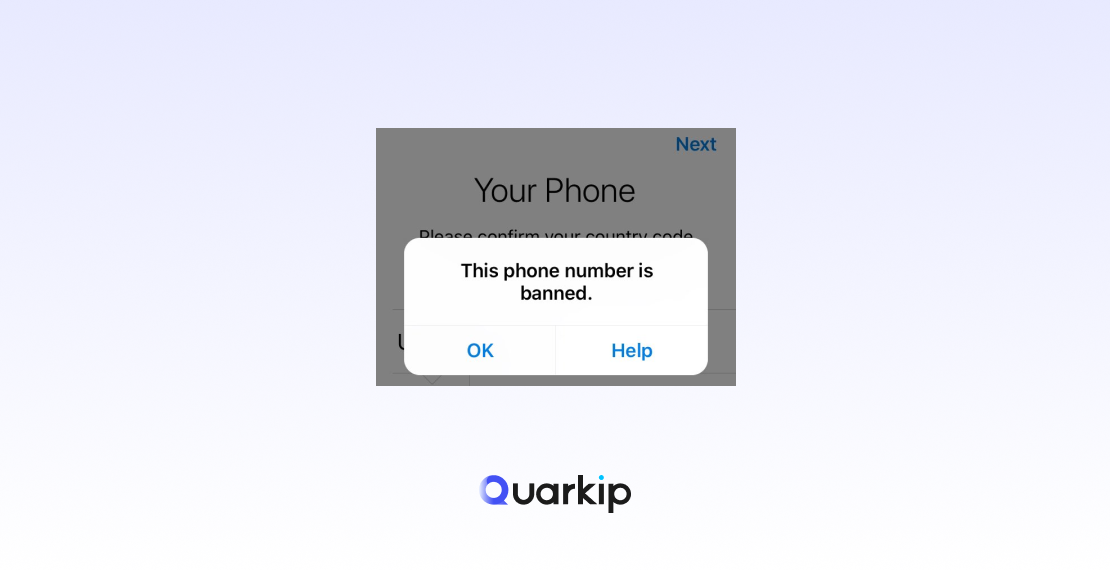
You open Telegram, enter your phone number, and instead of receiving a verification code, you see:
“This phone number is banned.”
For some users, the message appears on an account they have used for years.
For others, it happens the first time they try to register with a newly purchased SIM card.
That makes the error especially confusing.
Does it mean your Telegram account was deleted?
Did someone report you?
Is your phone number permanently blocked?
Can a recycled number inherit a previous owner’s problems?
The first thing to understand is that this is a specific Telegram authentication error.
Telegram’s official API defines:
PHONE_NUMBER_BANNED
as:
the provided phone number is banned from Telegram.
Telegram’s official client translations also contain the exact user-facing message:
“This phone number is banned.”
So this is different from:
- a delayed verification code;
- “Too many attempts”;
- an invalid phone number;
- a temporary spam limitation;
- a frozen account.
If you see the banned-number message, repeatedly requesting SMS codes or reinstalling Telegram will usually not address the real problem.
A better approach is:
- Confirm that Telegram actually says the number is banned.
- Make sure you entered the correct number.
- Stop repeated registration or login attempts.
- Use Telegram’s official help or appeal route.
- Mention if the number is newly assigned or may have been recycled.
- Avoid unofficial “unban” services.
- If you still have access to an existing account, protect that session until the issue is resolved.
This guide explains how to diagnose the error and what recovery options are actually worth trying.
What Does “This Phone Number Is Banned” Mean on Telegram?
The message means Telegram currently refuses to use that phone number for the authentication action you are attempting.
At the API level, Telegram distinguishes PHONE_NUMBER_BANNED from several other errors, including:
PHONE_NUMBER_INVALIDPHONE_NUMBER_FLOODPHONE_PASSWORD_FLOODSMS_CODE_CREATE_FAILED
That distinction matters because the fixes are completely different.
For example:
PHONE_NUMBER_INVALID
→ Telegram does not accept the number format or number

PHONE_NUMBER_FLOOD
→ Too many verification-code requests

PHONE_PASSWORD_FLOOD
→ Too many login attempts

PHONE_NUMBER_BANNED
→ Telegram has banned the phone number
If Telegram explicitly shows “This phone number is banned,” waiting for another SMS does not solve the underlying status.
Is a Banned Phone Number the Same as a Banned Telegram Account?
Not necessarily.
Telegram uses several different kinds of restrictions, and users often mix them together.
Phone Number Banned
You may see:
“This phone number is banned.”
The problem occurs during registration, login, or a phone-number change.
Telegram’s API identifies this as PHONE_NUMBER_BANNED.
Spam-Limited Account
Telegram may temporarily restrict an account after users report unwanted messages.
Telegram’s Spam FAQ says limited accounts can still message people who already have their number saved and can reply to people who contact them first. Users who believe a spam limitation was applied incorrectly can contact @SpamBot.
Frozen Account
Telegram now separately describes a Frozen Account.
A frozen account can still read chats but cannot send messages or publish content. Telegram says users can appeal that restriction directly from the app.
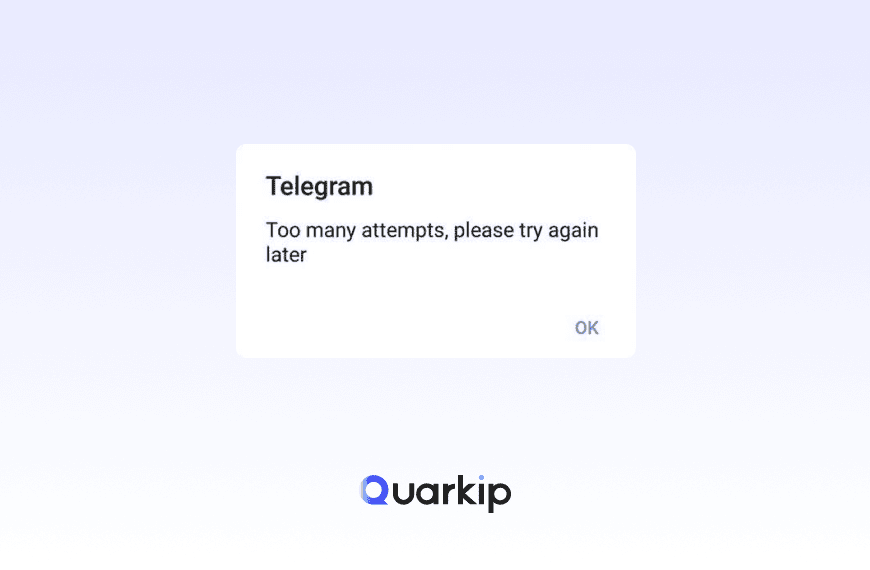
Too Many Attempts
This is a rate limit, not a phone-number ban.
If you see:
“Too many attempts, please try again later”
Telegram is temporarily limiting an action because of excessive requests.
These distinctions are important because:
@SpamBot is useful for spam-related limitations, but a PHONE_NUMBER_BANNED login error follows a different support path.
Why Did Telegram Ban My Phone Number?
Telegram does not publish a complete algorithm explaining every PHONE_NUMBER_BANNED decision.
That means articles claiming to know the exact internal reason for every banned number should be treated cautiously.
However, there are several relevant official signals and real-world scenarios worth understanding.
1. The Account May Have Violated Telegram’s Rules
Telegram’s Terms of Service prohibit activities including:
- sending spam;
- scamming users;
- certain illegal activity;
- prohibited public content.
Telegram reserves the right to take action when users violate its rules.
That does not mean every violation automatically produces a phone-number ban.
Telegram does not publicly provide a simple formula such as:
“Three spam reports = number banned.”
The enforcement outcome can depend on the nature of the activity and Telegram’s internal review systems.
Still, if a number was previously associated with serious or repeated abuse, enforcement history may be relevant.
2. Your Phone Number May Have Been Recycled
This is one of the most important scenarios for users who say:
“Telegram banned my brand-new number even though I’ve never used Telegram.”
Mobile carriers routinely recycle inactive phone numbers and issue them to new customers.
That means a SIM can be new to you while the phone number itself has years of history.
Telegram’s own Spam FAQ acknowledges a closely related issue: newly registered users can sometimes receive account limitations because of the previous owner’s activity. Telegram also notes that some virtual or VoIP numbers can trigger overly strict anti-spam responses.
This official statement refers specifically to spam limitations rather than proving that every recycled number causes a full PHONE_NUMBER_BANNED status.
However, it confirms an important principle:
Telegram enforcement can sometimes be affected by a phone number’s previous history rather than only the current owner’s activity.
Recent Telegram users have also reported receiving the banned-number message immediately when trying newly assigned numbers, with recycled-number history discussed as a possible explanation.
If that describes your case, mention it clearly in your appeal.
3. Virtual or VoIP Numbers Can Have Existing Reputation Problems
Telegram’s Spam FAQ explicitly says that some users can receive limitations because they are using certain virtual or VoIP numbers.
Shared, resold, or temporary phone numbers may have been used by many people before you.
Potential problems include:
- previous Telegram registrations;
- abuse by earlier users;
- reassignment;
- poor ownership continuity;
- losing access to the number later.
This does not mean Telegram bans every VoIP number.
But if you are trying to create an important long-term account, a mobile number you control directly is usually safer than a temporary number purchased only for receiving one verification code.
4. A Previous Owner May Have Abused the Account
This is related to number recycling but deserves separate attention.
Imagine:
User A owns number
        ↓
Uses Telegram
        ↓
Account receives enforcement
        ↓
Carrier later recycles number
        ↓
User B receives same number
        ↓
Telegram still has history linked to number
From User B’s perspective, the ban appears to happen “for no reason.”
From Telegram’s systems, however, the number may not look new.
This is why the wording of an appeal matters.
Instead of writing:
“Unban me. I did nothing.”
a more useful explanation is:
“My carrier recently assigned this number to me. I am the current owner and have not previously used this number with Telegram. It may have belonged to someone else.”
That gives Telegram support a specific fact to investigate.
5. The Number May Have Been Used for Repeated Registrations or Abuse
Telegram has separate safeguards against excessive account creation and verification attempts.
Its clients even contain a specific message for users who have deleted and recreated an account too many times recently, telling them to wait several days before registering again.
That particular condition is not the same as PHONE_NUMBER_BANNED.
Still, it illustrates that Telegram tracks phone-number-related account activity over time.
If a number has repeatedly moved through account creation, deletion, spam, or other suspicious usage patterns, Telegram may treat it differently from a number with stable history.
Telegram Banned My New Phone Number — How Is That Possible?
If you have genuinely never used Telegram with the number, first verify three things.
Confirm the Number
Make sure you entered the correct country code and phone number.
Telegram recommends using international format:
+(country code)(carrier or area code)(phone number)An accidental typo could cause you to test a completely different number.
Ask Whether the Number Was Reassigned
Contact your carrier and ask:
- Is this a newly created number?
- Was it previously assigned to another customer?
- How recently was it recycled?
Carriers may not always provide detailed ownership history, but it is worth asking.
Mention This in Your Appeal
If the SIM or number was recently issued to you, state this clearly when contacting Telegram.
Telegram already acknowledges that previous-number ownership can lead to false-positive spam restrictions, so this is relevant information.
How to Appeal “This Phone Number Is Banned” on Telegram
Telegram’s own Android X translation contains a very useful instruction:
“Sorry, this phone number is banned. Contact us at login@telegram.org if you need help.”
Telegram also provides an official support form for registration and login problems through its Help/FAQ system.
Use official Telegram channels rather than paying third parties who claim they can “unban” numbers.
Step 1: Make Sure You Have the Correct Error
Before appealing, confirm the screen specifically says:
“This phone number is banned.”
Do not confuse it with:
- Too Many Attempts
- Invalid Phone Number
- Verification Code Not Received
- One-time SMS Fee
- Account Frozen
- Spam Limitation
A precise report helps support understand the problem faster.
Step 2: Record the Exact Phone Number in International Format
Prepare the number as:
+ Country Code + Phone NumberFor example:
+44XXXXXXXXXXDo not publish your complete phone number on forums, Reddit, comments, or social media while seeking help.
Only send it through Telegram’s official support route when necessary.
Step 3: Explain Your Situation Clearly
A good appeal should be short and factual.
Include:
- your country;
- your mobile carrier;
- the full number in international format;
- when you first saw the error;
- whether the number is newly assigned;
- whether you had a Telegram account before;
- whether you believe the number may have been recycled.
Avoid writing a long emotional message.
The goal is to give support enough information to identify a possible false positive.
Step 4: Contact Telegram Through an Official Route
Telegram’s official client text points banned-number users to:
Telegram’s FAQ also directs users with registration or login problems to its support form.
If the app itself provides a Help button beside the banned-number error, use that option as well.
Do not send your verification code or Two-Step Verification password.
Telegram support does not need those secrets to review whether a phone number is banned.
Step 5: Wait for Telegram to Review the Case
There is no reliable public timetable for every banned-number appeal.
Avoid sending the same appeal repeatedly within a short period.
Multiple duplicate messages are unlikely to make a review faster and may make it harder to track your case.
If your situation involves a recently recycled number, keep documentation from your mobile carrier showing that the number currently belongs to you.
Telegram Phone Number Ban Appeal Template
You can keep the appeal simple:
Subject: Phone Number Banned on Telegram
Message:
Hello Telegram Support,
My phone number +[country code][number] shows the message “This phone number is banned” when I try to register/log in.
I am the current owner of this number. [If applicable: My mobile carrier recently assigned this number to me, so it may have belonged to another person previously.]
I believe the restriction may have been applied incorrectly. Could you please review the number?
Country: [Country]
Mobile carrier: [Carrier]
Approximate date the issue started: [Date]
Thank you.
Do not add:
- your SMS login code;
- Two-Step Verification password;
- passkey credentials;
- payment information.
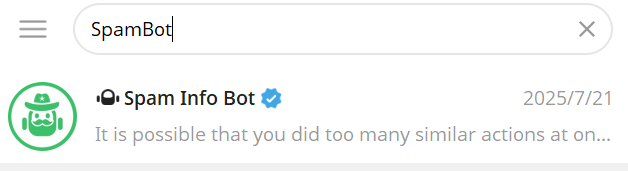
Can @SpamBot Unban a Banned Telegram Phone Number?
Do not assume so.
Telegram officially recommends @SpamBot for accounts that have been limited after spam reports or for users who believe a new account inherited an unfair spam limitation.
But PHONE_NUMBER_BANNED is a login-level phone-number error.
If you cannot sign into Telegram because the phone number itself is banned, the official banned-number client text points users toward Telegram login support instead.
Use the tool that matches the problem:
| Problem | Better Route |
|---|---|
| “This phone number is banned” | Telegram login/support appeal |
| Spam limitation | @SpamBot |
| Frozen account | In-app appeal |
| Too Many Attempts | Wait for cooldown |
| Verification code not received | Verification troubleshooting |
Can You Fix a Telegram Phone Number Ban by Waiting?
There is no official guarantee that simply waiting will remove PHONE_NUMBER_BANNED.
This differs from:
Too Many Attempts
where the problem is explicitly a temporary rate limit.
Telegram’s API lists PHONE_NUMBER_BANNED as a separate error from PHONE_NUMBER_FLOOD and PHONE_PASSWORD_FLOOD.
If Telegram explicitly tells you that the number is banned, use the official appeal process rather than assuming it will disappear after 24 hours.
Does Reinstalling Telegram Remove a Phone Number Ban?
Usually, no.
A phone-number ban is not simply a corrupted app cache.
Reinstalling Telegram changes the application on your device, but it does not change the server-side status of your phone number.
The same applies to:
- clearing Telegram cache;
- restarting the phone;
- reinstalling the operating system;
- switching between Telegram Desktop and mobile.
Updating an outdated Telegram app can solve compatibility problems, but it does not normally remove PHONE_NUMBER_BANNED.
Does Changing Your IP Fix “This Phone Number Is Banned”?
There is no reliable evidence that changing your IP address removes a Telegram phone-number ban.
The official error is associated with the phone number:
PHONE_NUMBER_BANNED
not with an official IP_BANNED login status.
This distinction matters.
A VPN or proxy changes:
- your public IP address;
- network route;
- apparent network location.
It does not change:
- the phone number;
- the number’s Telegram enforcement status;
- its previous account history;
- whether Telegram currently considers that number banned.
IP reputation and phone-number enforcement are separate concepts. If you want to understand how blacklist history, abuse records and network reputation work, see our guide to what is a clean IP.
Can a Residential Proxy Unban a Telegram Number?
No proxy service can legitimately promise to remove a Telegram PHONE_NUMBER_BANNED status.
Residential proxies can be useful for legitimate activities such as:
- localization testing;
- regional web research;
- SEO monitoring;
- public-web data collection.
But they do not control Telegram’s phone-number enforcement database.
If you want to understand why IP reputation and phone-number reputation are separate concepts, think of the authentication process as several layers:
Network layer
IP / ISP / routing

        ↓

Account layer
Telegram account history

        ↓

Phone-number layer
Number ownership / verification / enforcement
Changing the first layer does not automatically change the third.
If Telegram says “This phone number is banned,” appeal the phone-number status rather than trying to rotate through IP addresses.
Should You Buy Another Phone Number?
Not immediately.
If Telegram banned a number incorrectly, appealing first is usually more sensible than buying multiple new SIM cards.
A new number may also have:
- previous ownership history;
- prior Telegram usage;
- VoIP characteristics;
- recycled-number reputation.
Telegram itself acknowledges that previous owners and some virtual numbers can cause false-positive limitations.
If you eventually choose another number, use one that:
- you control long term;
- comes from a reputable mobile carrier;
- can receive SMS reliably;
- will not expire after a few days.
Avoid disposable verification numbers for an account you care about.
What If Your Telegram Account Still Works on Another Device?
If you are still logged in somewhere, do not log out immediately.
An active session may contain:
- important chat history;
- account security settings;
- active-device information;
- the ability to change your phone number.
Telegram’s FAQ explains that users can change the phone number connected to an account while preserving cloud contacts, messages, and media.
However, Telegram’s API also shows that a banned target number can prevent a phone-number change. account.sendChangePhoneCode lists PHONE_NUMBER_BANNED as a possible error.
So if you are still signed in:
- Keep that session active.
- Review Settings → Devices.
- Secure the account with Two-Step Verification.
- Do not terminate your last working session until you understand the ban.
- Contact Telegram support before making unnecessary account changes.
Telegram Phone Number Banned vs Too Many Attempts
These two errors are particularly easy to confuse.
| Error | Meaning | Best Response |
|---|---|---|
| This phone number is banned | Number is banned by Telegram | Appeal through official support |
| Too many attempts | Temporary rate limit | Stop retrying and wait |
| PHONE_NUMBER_FLOOD | Too many code requests | Wait for cooldown |
| PHONE_PASSWORD_FLOOD | Too many login/password attempts | Stop attempts and wait |
| PHONE_NUMBER_INVALID | Number is invalid | Check phone-number format |
If Telegram says Too Many Attempts, read the dedicated Telegram rate-limit guide rather than following a banned-number appeal process.
Telegram Phone Number Banned vs Verification Code Not Received
Another important distinction:
Banned Number
Telegram stops the flow before normal verification can continue.
Verification Code Not Received
Telegram accepts the number and attempts to authenticate you, but you cannot obtain or locate the code.
If Telegram says:
We’ve sent the code to Telegram on your other device
or:
SMS sent
your problem is more likely verification delivery.
If it says:
This phone number is banned
verification-code troubleshooting will not solve it.
Telegram Phone Number Banned vs Frozen Account
Telegram’s FAQ describes a frozen account as an account restricted after reports from other users.
A frozen user can still read chats but cannot send messages or post content, and Telegram provides an in-app appeal route.
That is fundamentally different from being unable to authenticate because Telegram has banned the phone number.
This difference is worth remembering:
Can log in but cannot interact
→ Account limitation / frozen account

Cannot proceed because number says banned
→ PHONE_NUMBER_BANNED
What NOT to Do When Telegram Bans Your Number
Don’t Keep Requesting Verification Codes
A banned phone number is not a missing-code problem.
Repeated requests can create additional rate limits without solving the ban.
Don’t Pay “Telegram Unban Services”
No third party can guarantee that Telegram will remove a phone-number ban.
Be especially cautious if someone asks for:
- your login code;
- Two-Step Verification password;
- crypto payment;
- account credentials.
Don’t Share the Full Phone Number Publicly
Avoid posting the complete number on Reddit, Telegram groups, YouTube comments, or forums.
Provide it only through official support channels when needed.
Don’t Rotate Random VPNs or Proxies
Changing your network does not change the Telegram enforcement status attached to the phone number.
Don’t Delete a Working Telegram Account Prematurely
If an old session still works, keep access while the issue is investigated.
Deleting an account can remove valuable recovery options.
Telegram “This Phone Number Is Banned” Troubleshooting Checklist
| What You See | Likely Situation | Best Next Step |
|---|---|---|
| “This phone number is banned” | PHONE_NUMBER_BANNED | Submit official appeal |
| Brand-new SIM shows banned immediately | Possible previous-number history | Mention carrier/recycled number in appeal |
| “Too many attempts” | Rate limit | Stop retrying and wait |
| Verification code never arrives | Delivery/authentication problem | Troubleshoot verification separately |
| Account can read but cannot message | Limited/frozen account | Use SpamBot or in-app appeal as appropriate |
| Number format invalid | Entry/number issue | Correct international format |
| Existing Telegram session still works | Partial access retained | Keep session active and secure account |
How to Reduce Telegram Account Problems in the Future
No method guarantees that an account will never face review, but several habits reduce avoidable problems.
Use a Phone Number You Control
Avoid relying on temporary SMS services for important accounts.
Long-term access to the number matters for recovery.
Follow Telegram’s Terms
Do not use Telegram for spam, scams, or prohibited public activity. Telegram’s Terms explicitly prohibit these behaviors.
Avoid Unwanted Bulk Messaging
Telegram’s Spam FAQ makes clear that unsolicited messages to strangers and unwanted group invitations can lead to restrictions.
Keep One Trusted Session Active
An existing Telegram session can be valuable when moving devices or troubleshooting authentication.
Enable Two-Step Verification
This adds another protection layer even if someone obtains an SMS code.
Review Active Devices
Remove sessions you do not recognize and secure the devices you continue using.
FAQ
Why does Telegram say “This phone number is banned”?
It means Telegram currently considers the phone number banned for authentication purposes.
Telegram’s API identifies this condition as PHONE_NUMBER_BANNED.
The exact reason is not always shown to the user.
Can Telegram ban a number that I just bought?
It is possible for a newly assigned number to have previous ownership history.
Telegram officially acknowledges that some new users can receive false-positive spam limitations because of the activity of a previous number owner.
If your new number immediately shows as banned, mention the recent carrier assignment in your appeal.
How do I appeal a banned Telegram phone number?
Telegram’s official client text tells banned-number users who need help to contact login@telegram.org. Telegram also provides support for registration and login problems.
Keep the request factual and include your number, country, carrier, and relevant ownership details.
How long does Telegram take to unban a phone number?
Telegram does not publish a universal response or review time for PHONE_NUMBER_BANNED appeals.
Avoid websites that promise an exact guaranteed unban time.
Is “This phone number is banned” temporary?
Telegram does not publicly guarantee that the error disappears automatically after a set period.
Unlike flood-wait errors, PHONE_NUMBER_BANNED is documented as a separate status.
Use the official appeal route if you believe the ban is incorrect.
Can @SpamBot unban my phone number?
@SpamBot is intended primarily for spam-related account limitations.
If Telegram blocks login itself with PHONE_NUMBER_BANNED, use Telegram’s login/support appeal route instead.
Final Thoughts
Seeing “This phone number is banned” on Telegram can be alarming, particularly when the SIM is new or you believe you have never violated Telegram’s rules.
The most important step is identifying the exact problem.
Telegram distinguishes:
PHONE_NUMBER_BANNED
→ Phone number banned

PHONE_NUMBER_FLOOD
→ Too many code requests

PHONE_PASSWORD_FLOOD
→ Too many login attempts

PHONE_NUMBER_INVALID
→ Invalid number
Those errors require different solutions.
If Telegram explicitly says the phone number is banned:
do not repeatedly request SMS codes, reinstall the app, cycle through VPNs, or pay third-party “unban” services.
Instead, verify the number, document whether it was recently assigned or recycled, and use Telegram’s official appeal route.
For users with newly issued numbers, previous ownership is particularly important. Telegram itself acknowledges that a previous owner’s activity can sometimes create false-positive restrictions for new users.
The objective is not to find a technical shortcut around the restriction.
It is to give Telegram enough accurate information to determine whether the phone-number ban belongs to you—or to someone who used the number before you.
PARTNER WITH QUARKIP Publish your content on QuarkIP Sponsored articles, guest posts and contextual link placements for proxy, web scraping, AI and developer audiences. Packages from $80 Start an inquiry →