
You enter your phone number, receive the Telegram login code, and expect to sign in.
Then Telegram asks for something else:
Your Two-Step Verification password.
You try the passwords you normally use, but none of them work.
Then the real problem becomes clear:
You forgot your Telegram Two-Step Verification password.
This is different from:
- not receiving a Telegram verification code;
- forgetting your phone PIN;
- forgetting a Telegram app passcode;
- losing a passkey;
- seeing “Too many attempts”;
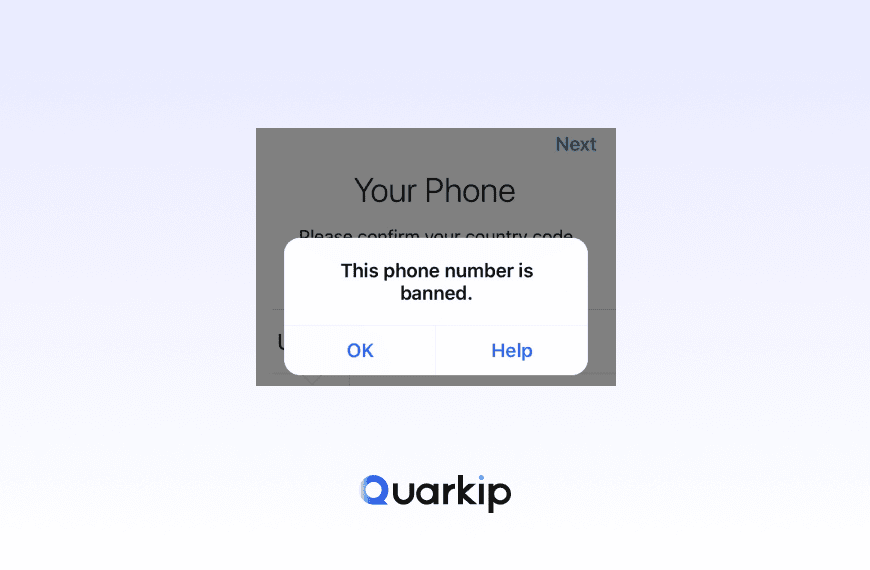
- seeing “This phone number is banned.”
Telegram’s official FAQ explains that Two-Step Verification adds an extra password on top of the normal login code. If you configured a recovery email, Telegram can use that email to help you regain access.
If you forgot the password, your recovery options depend mainly on three things:
- Do you still have access to the recovery email?
- Are you still logged in to Telegram on another device?
- Do you have neither of those?
The answer determines whether you can reset the password quickly or need to wait.
What Is the Telegram Two-Step Verification Password?
Telegram’s Two-Step Verification password is an additional account password that protects your Telegram account after the normal phone-number verification step.
The login flow can look like this:
Phone number
     ↓
Login code
     ↓
Two-Step Verification password
     ↓
Account access
Telegram’s FAQ says users can enable this feature under:
Settings → Privacy and Security → Two-Step Verification
Once enabled, you need both the login code and the additional password to sign in. Telegram also lets you configure a recovery email so you can recover access if you forget that password.
This extra password is sometimes called:
- Telegram 2FA password
- cloud password
- Two-Step password
- Telegram password
They generally refer to the same account-level security feature.
Telegram Two-Step Password vs Login Code vs App Passcode
These terms are often confused.
| Credential | What It Does |
|---|---|
| Login code | Verifies your phone/account during sign-in |
| Two-Step Verification password | Adds a second account-level password |
| App passcode | Locks Telegram locally on a specific device |
| Passkey | Can replace the login-code step on supported devices |
This distinction matters.
If Telegram asks for:
“Enter password”
after you already entered the login code, you are probably dealing with the Two-Step Verification password.
If Telegram asks for:
“Enter your Telegram passcode”
you may be looking at a local app-lock credential instead.
Telegram’s official client strings distinguish these states.
Can You Recover a Forgotten Telegram Two-Step Verification Password?
Yes, but the recovery path depends on your account state.
Telegram officially documents three main paths:
- recovery email;
- password reset from an already logged-in session;
- account deletion/reset when no other recovery route is available.
The most important thing is to avoid guessing repeatedly before you understand which option applies to you.
Option 1: Recover the Password Through Your Recovery Email
This is the easiest path.
If you added and verified a recovery email when setting up Two-Step Verification, Telegram can send a password-recovery code there.
Telegram’s official API supports this through:
auth.requestPasswordRecovery
and notes that it works only when the account has a recovery email configured.
The normal flow is:
Forgot password
      ↓
Telegram sends recovery code
      ↓
Check recovery email
      ↓
Enter code
      ↓
Reset Two-Step password
Telegram’s current client text says:
“We’ve sent a recovery code to the email you provided.”
What to Check If the Recovery Email Does Not Arrive
Before assuming Telegram failed:
- check spam or junk folders;
- confirm the email pattern shown belongs to an account you recognize;
- wait a few minutes;
- avoid repeatedly requesting new codes;
- make sure you still control the email account.
Telegram also supports checking whether the recovery code is valid before completing the reset. Its API documents an expiration error for old recovery codes.
Use the newest valid code.
Option 2: Reset the Password From an Existing Logged-In Session
This is one of the most useful recovery options and often overlooked.
If Telegram is still logged in on another device, you may be able to initiate a Two-Step Verification password reset without deleting your account.
Telegram’s official 2FA documentation says password reset from a logged-in session starts a 7-day server-side timer. During that period, the reset can still be canceled.
The flow looks like:
Existing Telegram session
        ↓
Request password reset
        ↓
7-day security waiting period
        ↓
Password reset becomes available
This is very different from repeatedly guessing the old password.
If you still have Telegram open on:
- an old phone;
- a tablet;
- Telegram Desktop;
- another trusted device;
do not log out.
That existing session may be your best recovery option.
Telegram’s client text also explicitly says that without access to the recovery email, users may have to wait 7 days until the password resets.
Why Does Telegram Make You Wait 7 Days?
The delay is a security feature.
Imagine someone steals access to your phone number but does not know your Two-Step Verification password.
If Telegram allowed an immediate password reset, the attacker could remove your extra security layer instantly.
A waiting period gives the legitimate account owner time to notice the reset request and cancel it.
Telegram’s official documentation says that a password reset started from a logged-in session uses a seven-day timer and can be canceled during that period.
So the delay is intentional, not a bug.
Option 3: You Have a Recovery Email but Cannot Access It
This is more complicated.
Telegram’s client text states that if you cannot restore access to the recovery email, your remaining options may be:
- remember the password;
- or wait for the password reset path.
The best solution is usually to recover the email account first.
Check the email provider’s own account-recovery options:
- backup email;
- recovery phone;
- password reset;
- identity verification.
Do not immediately reset or delete your Telegram account if you can still regain access to the recovery email.
Option 4: You Never Added a Recovery Email
This is the hardest case.
Telegram’s current interface explicitly says:
If you did not provide a recovery email, your remaining options are to remember the password or wait 7 days until the password resets.
However, the exact flow depends on whether you are already logged in somewhere.
If you still have an active Telegram session, preserve it.
If you are completely logged out and have no recovery email, the account-recovery path may eventually involve an account reset rather than a simple password reset.
What Happens If You Reset Your Telegram Account?
This is where users need to be especially careful.
Telegram’s client text warns that an account reset can permanently delete:
- chats;
- messages;
- media;
- files;
- cloud-stored account data.
The warning explicitly says the action cannot be undone.
In some reset scenarios, Telegram also displays a waiting period before deleting the active account and resetting the Two-Step Verification state.
This means:
Account reset should be your last resort, not your first troubleshooting step.
If any other recovery path exists, use it first.
How to Recover a Forgotten Telegram Two-Step Password
Use this sequence.
Step 1: Check Whether You Still Have an Active Session
Look at:
- old phones;
- tablets;
- Telegram Desktop;
- other signed-in devices.
If one still works, keep it active.
An authenticated session gives you more recovery options and may allow a password reset without deleting the account.
Step 2: Tap “Forgot Password?”
Telegram’s login clients provide a Forgot password? option when Two-Step Verification is enabled.
Use that official flow instead of guessing passwords repeatedly.
Step 3: Check the Recovery Email
If Telegram displays a masked recovery email and sends a code:
- open the email inbox;
- find the Telegram recovery message;
- enter the latest recovery code;
- set a new password when prompted.
Telegram’s recovery API supports resetting the 2FA password through this email code.
Step 4: If You Have No Email Access, Preserve Existing Sessions
Do not log out of the last working Telegram device.
From a logged-in session, Telegram supports a password-reset process with a seven-day security period.
Logging out can remove this easier recovery route.
Step 5: Wait for the Full Reset Timer
If Telegram shows a password-reset countdown, let it finish.
Do not cancel and restart the reset unless necessary.
Telegram’s official client strings specifically refer to the seven-day reset period.
Step 6: Avoid Account Reset Unless Necessary
If Telegram offers only Reset Account, read the warning carefully.
That option can delete cloud data.
Only proceed when:
- no recovery email is available;
- no usable active session remains;
- you understand the data loss;
- you accept that the old account may be deleted.
What If Telegram Says “Recovery Email Is Not Available”?
Telegram’s API returns:
PASSWORD_RECOVERY_NA
when no recovery email is configured.
That means Telegram cannot send you a password recovery code by email.
Your remaining path depends on whether you still have an authenticated session.
Logged in somewhere
Use the password-reset flow and wait for the security period.
Completely logged out
Telegram may offer an account reset path after phone-number verification.
This path can delete account data.
Can Telegram Support Tell You Your Password?
No.
Telegram should not know or send you the plain-text Two-Step Verification password.
Telegram’s technical documentation describes a secure password-verification system based on SRP rather than simply storing and returning the user’s password.
A support agent cannot legitimately ask you to send:
- the password;
- login codes;
- passkeys;
- recovery codes.
Anyone asking for those credentials should be treated with caution.
Is the Telegram Two-Step Password the Same as the Phone Verification Code?
No.
This is one of the most common sources of confusion.
The login process may be:
Phone number
    ↓
Verification code
    ↓
Two-Step Verification password
If you cannot receive the first code, see our Telegram verification code not received guide before troubleshooting your Two-Step Verification password.
If you receive the code successfully but then Telegram asks for a password you do not remember, you have a Two-Step Verification problem.
These should be treated as separate issues.
Is Telegram Two-Step Verification the Same as a Passkey?
No.
A passkey can replace the normal SMS/login-code step on supported devices.
Telegram’s FAQ says passkeys can use:
- device PIN;
- fingerprint;
- face scan.
However, Telegram’s technical documentation makes clear that a configured Two-Step Verification password still exists as a separate account-security layer.
So a passkey should not be assumed to automatically remove a forgotten 2FA password.
What If You Forgot the Telegram App Passcode Instead?
That is another separate issue.
The local Telegram passcode protects the app on one device.
Two-Step Verification protects account login.
You can think of them like this:
App passcode
→ protects local Telegram app access

Two-Step Verification
→ protects account sign-in
If Telegram is already open on the device but asks for a PIN or app passcode, do not assume you need to reset the cloud Two-Step Verification password.
What If You Keep Entering the Wrong Telegram Password?
Stop guessing repeatedly.
Telegram documents password-related flood controls, including PHONE_PASSWORD_FLOOD, for excessive login attempts.
Repeated guesses can turn a password-recovery problem into:
Forgot password + Too Many Attempts
which is harder to troubleshoot.
Once you know you do not remember the password, use the recovery flow instead.
If Telegram has already started showing a rate-limit warning, see our Telegram Too Many Attempts guide before making another login attempt.
Can Reinstalling Telegram Reset the Two-Step Password?
No.
Reinstalling Telegram does not change the Two-Step Verification password stored as part of the account’s security settings.
It can actually make recovery worse if you uninstall Telegram from your last active session.
Before reinstalling:
- check whether the device is still authenticated;
- preserve any working session;
- use the official password-recovery flow.
Does Changing Your IP Fix a Forgotten Telegram Password?
No.
A Telegram Two-Step Verification password is an account-level security credential.
Changing:
- Wi-Fi;
- mobile data;
- VPN;
- proxy;
- public IP;
does not recover or reset the password.
Network connectivity may affect whether Telegram can connect, but it does not replace the recovery email or Telegram’s reset process.
Can a VPN or Proxy Bypass Telegram Two-Step Verification?
No legitimate proxy or VPN service can replace a forgotten Two-Step Verification password.
A proxy changes the network path.
It does not change:
- the Telegram 2FA password;
- recovery email;
- reset timer;
- account security state.
If Telegram requires the password, use Telegram’s official recovery system.
What If Someone Else Started a Password Reset?
Telegram’s client strings show that password/account reset requests can be canceled if they were not initiated by the legitimate user.
Telegram warns users when someone with access to the phone number requests account deletion and a Two-Step Verification reset.
If you receive such a warning unexpectedly:
- do not ignore it;
- keep your active sessions;
- review connected devices;
- secure your phone number;
- change your number if necessary;
- cancel the reset through the official interface when available.
This can indicate someone else has access to your SIM or authentication flow.
Telegram Two-Step Password Recovery Checklist
| Situation | Best Next Step |
|---|---|
| Recovery email available | Use Forgot Password and email code |
| Logged in on another device | Keep session active and initiate password reset |
| No email but active session | Use 7-day reset flow |
| No email and no active session | Review account reset options carefully |
| Recovery email inaccessible | Recover email account first if possible |
| Wrong password entered repeatedly | Stop guessing and use recovery flow |
| Login code never arrives | Troubleshoot verification code separately |
| “Too many attempts” appears | Stop retries and wait |
| Account reset warning appears unexpectedly | Secure account immediately |
How to Avoid Losing Your Telegram Two-Step Password Again
Add a Recovery Email
Telegram explicitly recommends setting one up when enabling Two-Step Verification.
Make sure you actually control the email.
Secure the Recovery Email
Use:
- a strong password;
- two-factor authentication;
- updated recovery information.
Your Telegram recovery is only as strong as the email account behind it.
Use a Password Manager
Store the Two-Step Verification password securely instead of relying entirely on memory.
Keep One Trusted Telegram Session Active
An existing session can make recovery much easier.
Configure a Passkey
Passkeys reduce dependence on SMS for future sign-ins, even though they do not replace the Two-Step Verification password itself.
FAQ
What happens if I forget my Telegram Two-Step Verification password?
If you configured a recovery email, Telegram can send a recovery code there.
If you are still logged in on another device, you may be able to start a password reset with a seven-day waiting period.
Can I recover Telegram 2FA without a recovery email?
Sometimes.
If you still have an active authenticated Telegram session, Telegram supports a password-reset flow with a seven-day security wait.
If you are completely logged out, recovery can be more destructive and may involve account reset.
Why does Telegram make me wait 7 days?
The waiting period protects the account from someone who has temporary access to the phone number but does not know the Two-Step Verification password.
Telegram documents a seven-day reset period for logged-in password resets.
Will Telegram delete my chats if I reset the password?
A normal password reset from an active session does not inherently mean deleting the account.
However, the separate Reset Account path can permanently delete Telegram chats, messages, media, and cloud data. Telegram explicitly warns users before this action.
Can Telegram support recover my password for me?
Telegram can provide official recovery mechanisms, but it should not send you the existing plain-text password.
Use recovery email, active-session reset, or other official reset flows.
Final Thoughts
Forgetting your Telegram Two-Step Verification password can feel like a dead end, but the correct recovery path depends on your account state.
The decision tree is simple:
Recovery email available?
        ↓
Yes → Recover by email

No
↓
Still logged in somewhere?
        ↓
Yes → Start password reset and wait 7 days

No
↓
Review Telegram account-reset options carefully
The most important thing is to protect any active Telegram session you still have.
If a recovery email exists, use it.
If you are logged in somewhere, preserve that session and use Telegram’s official reset process.
And if Telegram offers only a full account reset, understand the data-loss warning before proceeding.
Do not rely on repeated password guessing, reinstalling the app, changing IP addresses, or third-party “Telegram recovery” services.
The safest path is always the one Telegram itself provides.
PARTNER WITH QUARKIP Publish your content on QuarkIP Sponsored articles, guest posts and contextual link placements for proxy, web scraping, AI and developer audiences. Packages from $80 Start an inquiry →