MoreLogin is the first in the anti-detect industry to roll out a CloudPhone solution.
MoreLogin also provides a safer and more efficient antidetect browser, which makes it easier to protect your account and more simply witness the growth of income, truly independent traffic arbitration and affiliate marketing native fingerprints.
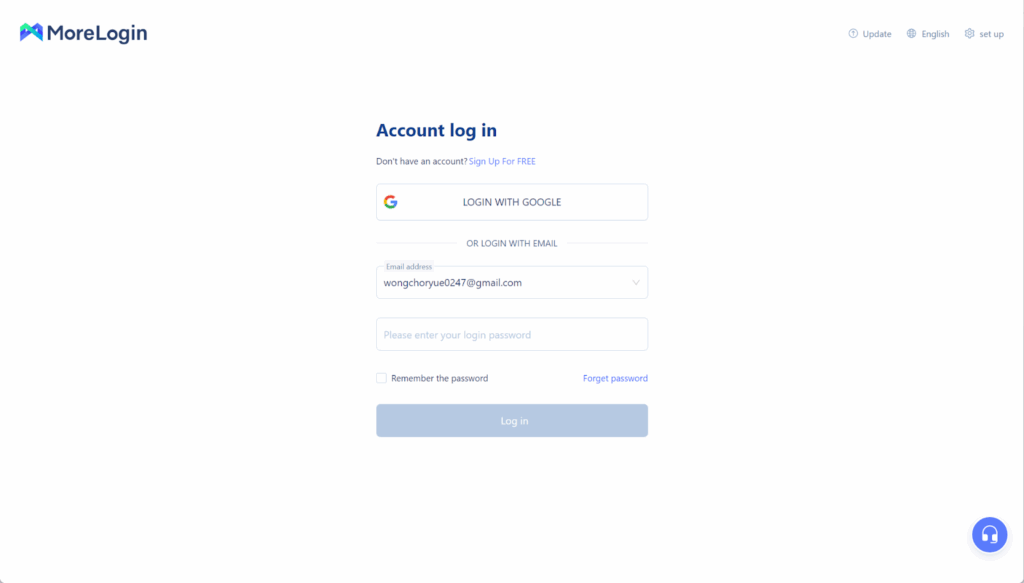
1.Download MoreLogin, sign up if needed, and sign in
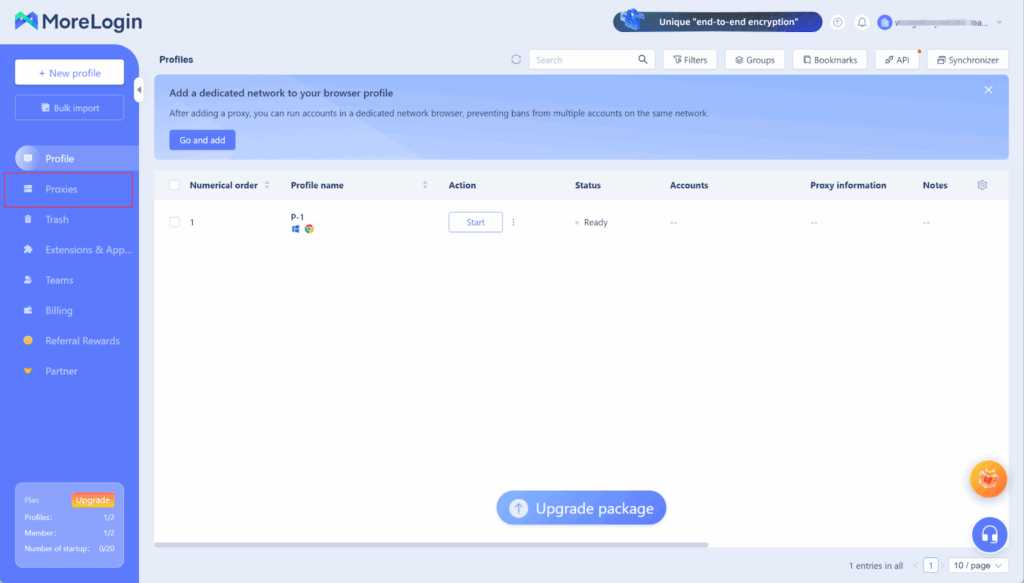
2.Go to MoreLogin and click on ‘Proxies’
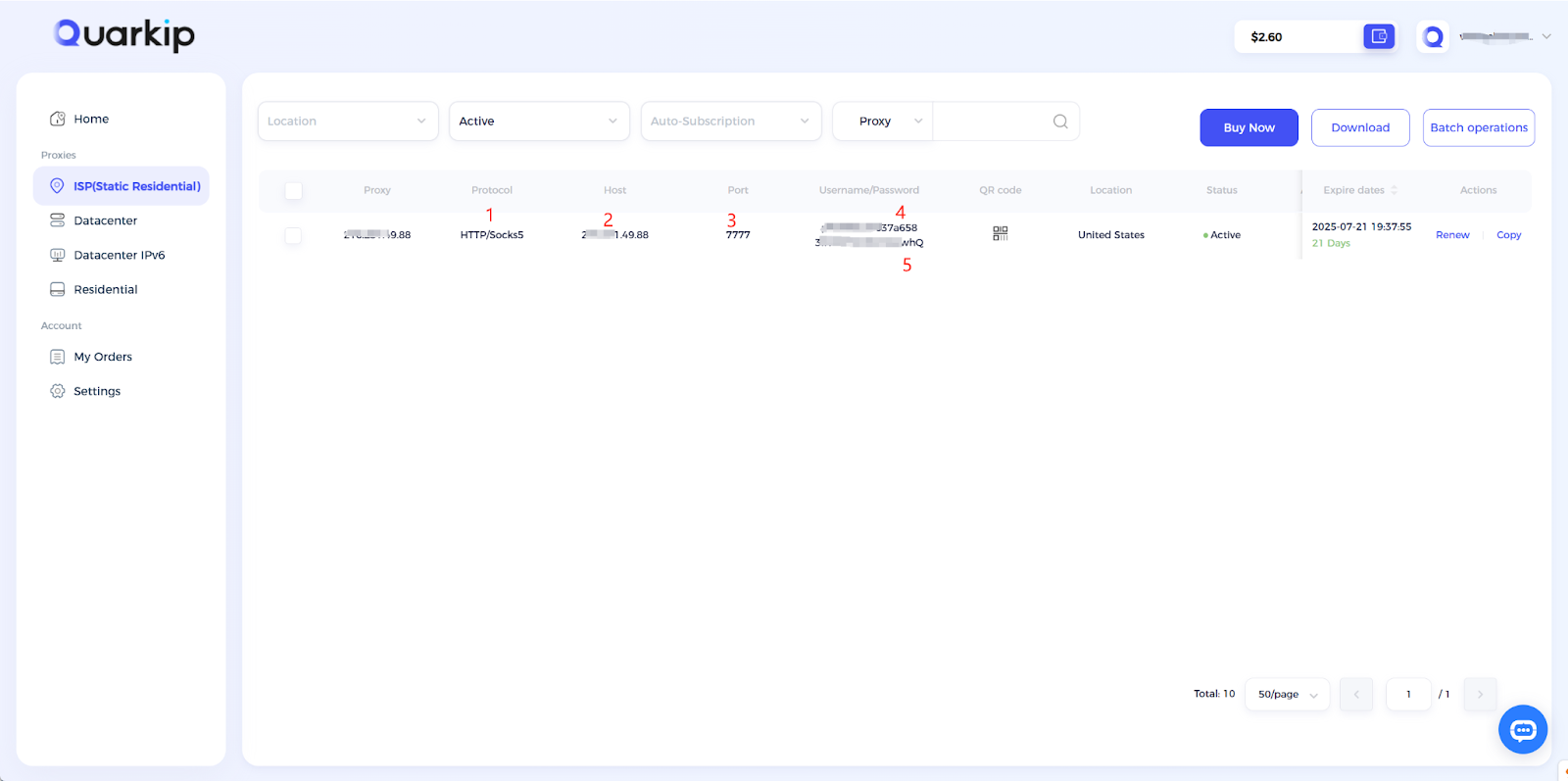
3.According to the content in the screenshot, enter the proxy protocol, proxy address, port, username, and password into their respective input fields, then click the confirm button.
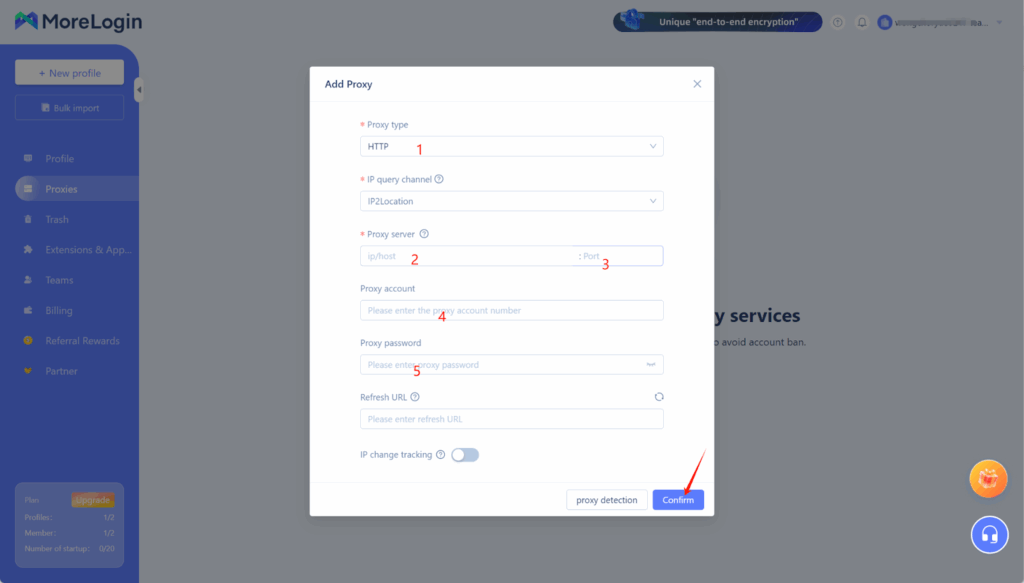
Using QuarkIP’s United States ISP proxies as an example, enter the corresponding proxy information into MoreLogin based on the provided labels.
- After purchasing a proxy, it takes 2-3 minutes for the allocation to complete. During this time, we verify the payment status and assign the proxy. The proxy status will show as ‘Allocating’ while this process is underway
- Unlike other proxy products, you can freely select HTTP or Socks5 protocols without having to change the port number.
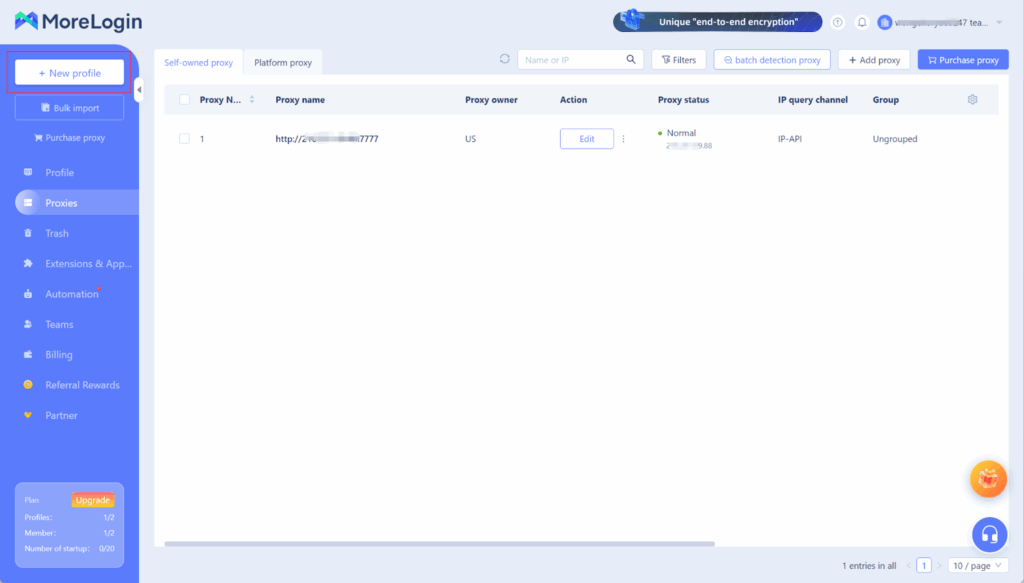
4.Once added, you can manage the proxy on the ‘Proxy’ page, then click the ‘New Profile’ button
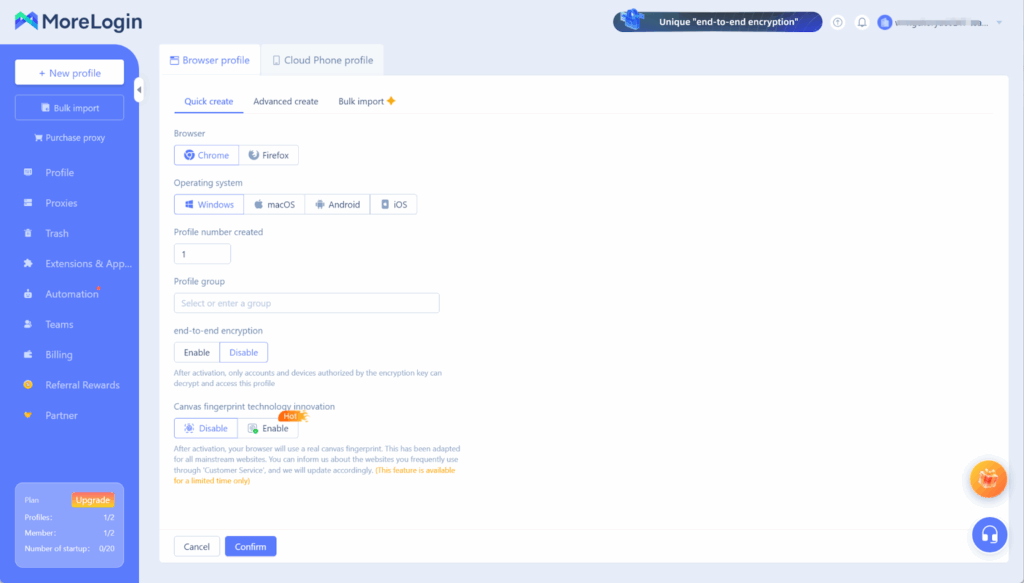
5.Once all settings are configured, click the confirm button
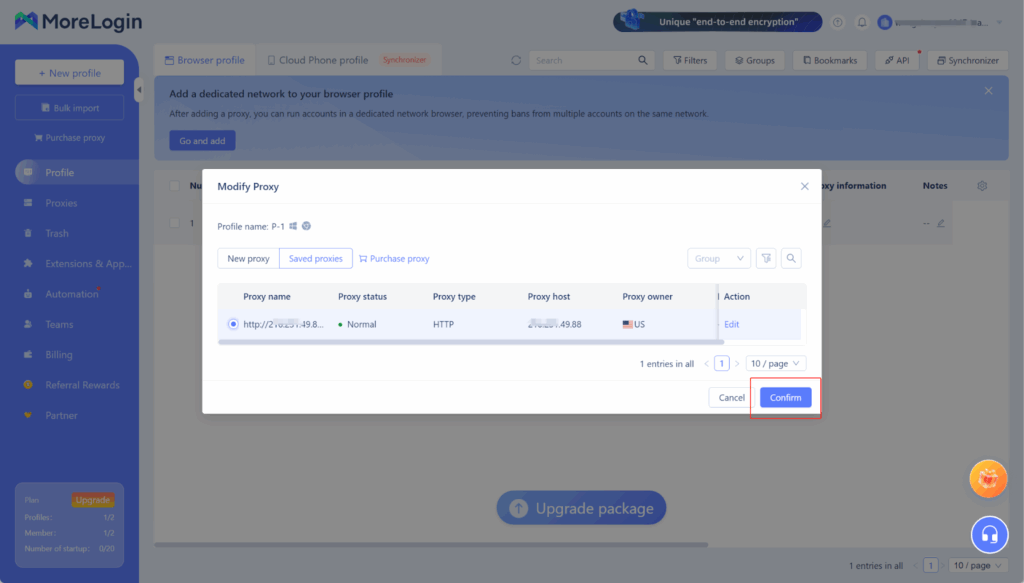
6.Go back to the browser profile page, click the proxy settings button in the profile you just created, choose the saved proxy, and link the added QuarkIP ISP proxy to this browser window.
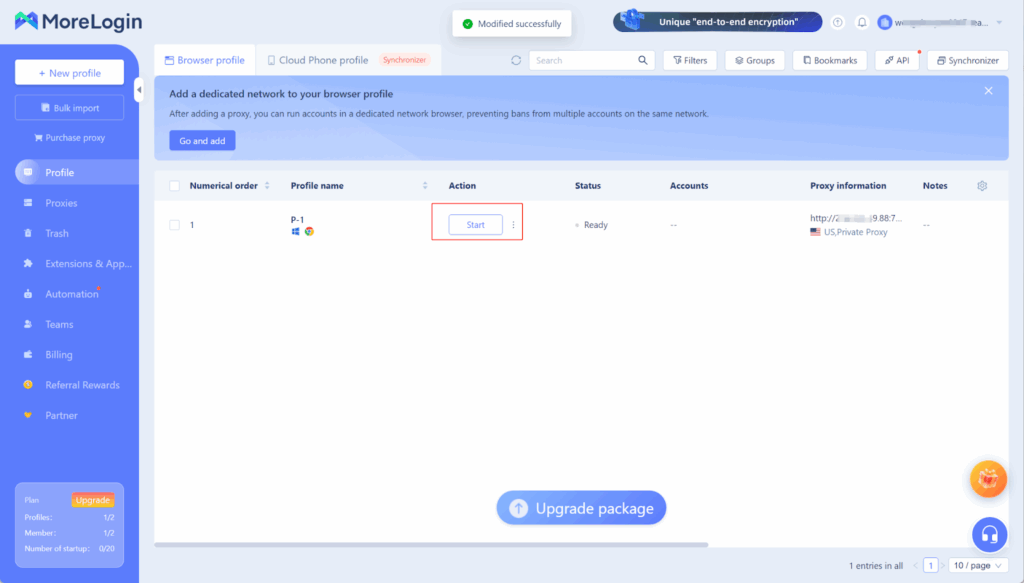
7.Click the Start button to begin using it