
Feature Scenario
When the proxy is set to sticky mode and you want to switch the current IP, you will need to use the manual IP switch link. Typical use cases include:
- During ticket purchasing, if the current IP gets banned and you need to switch to the next one without losing the sticky characteristic.
- When registering an account, if the current IP is banned, you want to switch to the next IP while maintaining the sticky feature.
Steps to Operate
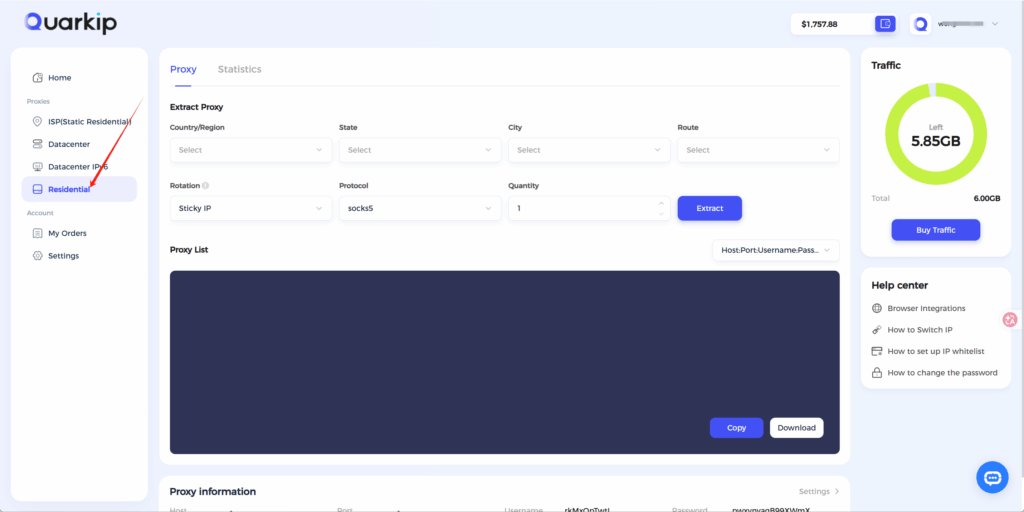
1.Log in to the dashboard and navigate to the Rotating Residential Proxy page.
2.Obtain the manual switch link.
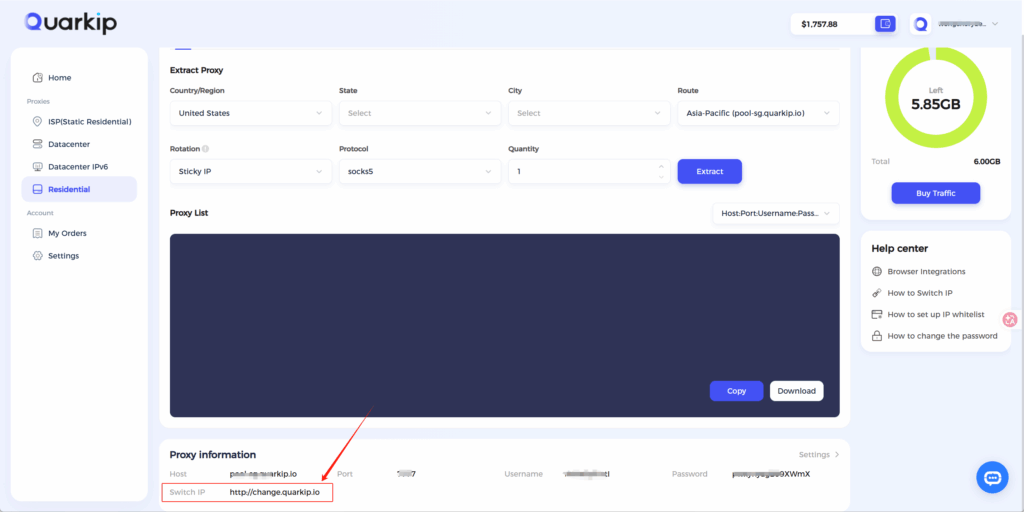
3.Open the browser window using the proxy and visit the provided link to switch the current IP.


